DCP 350 User Manual
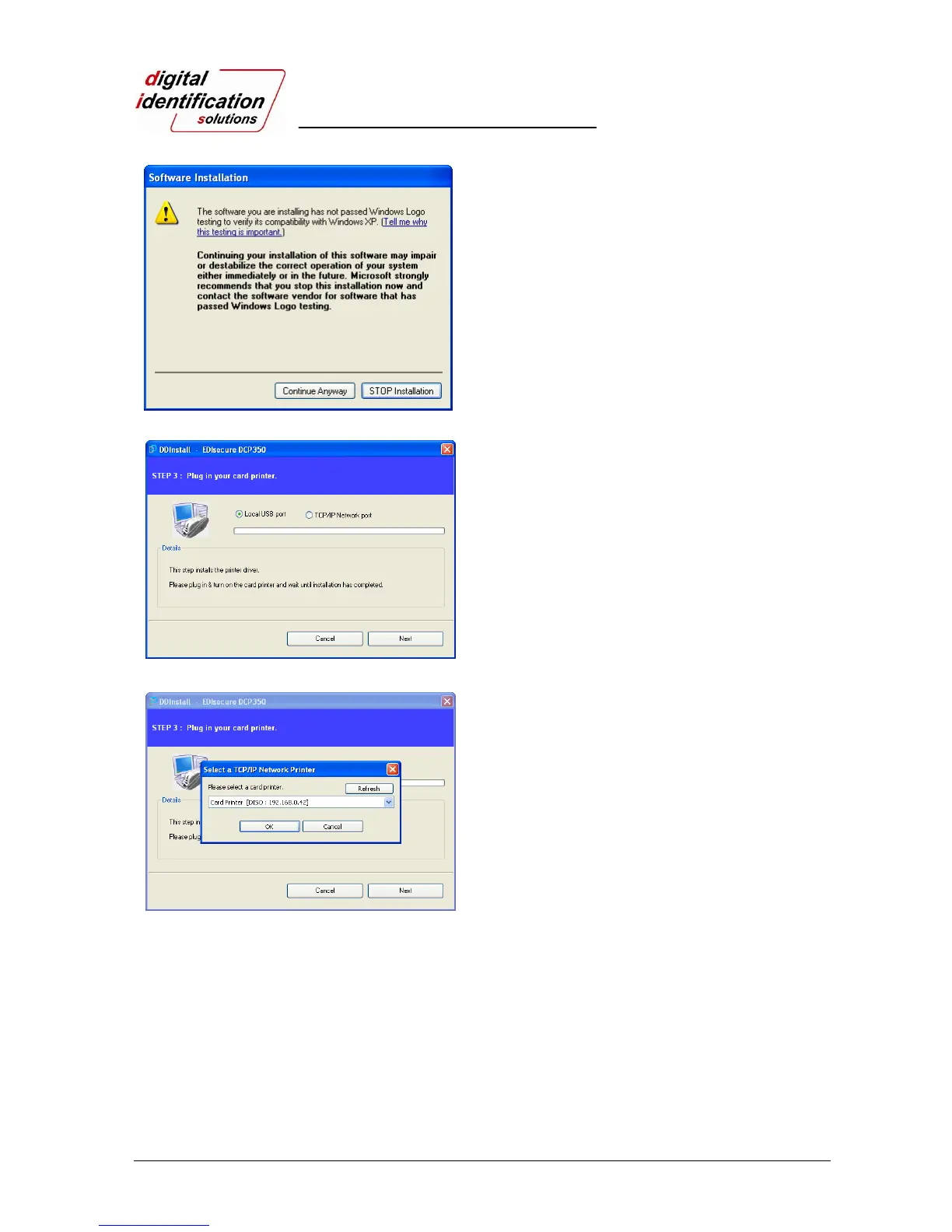
Pic.24 Install XP print driver 6
2.3.5.
If there is a pop-up window for the software
installation, click “Continue Anyway”.
Pic.25 Install XP printer driver 7
2.3.6. STEP 3:
Click “Next” to use USB port.
Click “TCP/IP Network port” to use the printer as
network printer and choose the printer as shown on
the Pic.27.
(If there is no information on the window for the
network printer list, it means that the printer is not
connected to the network. Check “2.5 Network Printer”
section.)
Pic.26 Install XP printer driver 8



 To Next Page