PhaseTrakker AP30 Setting Up the Field Unit
7
Setting Up the Field Unit
The AP30 Field Unit requires some initial set-up:
1. Enter network address of each Reference Unit
2. Select time zone
3. Set phase preferences (optional)
4. Calibrate using known Phase A (0°)
Entering Network Address for Each Reference Unit
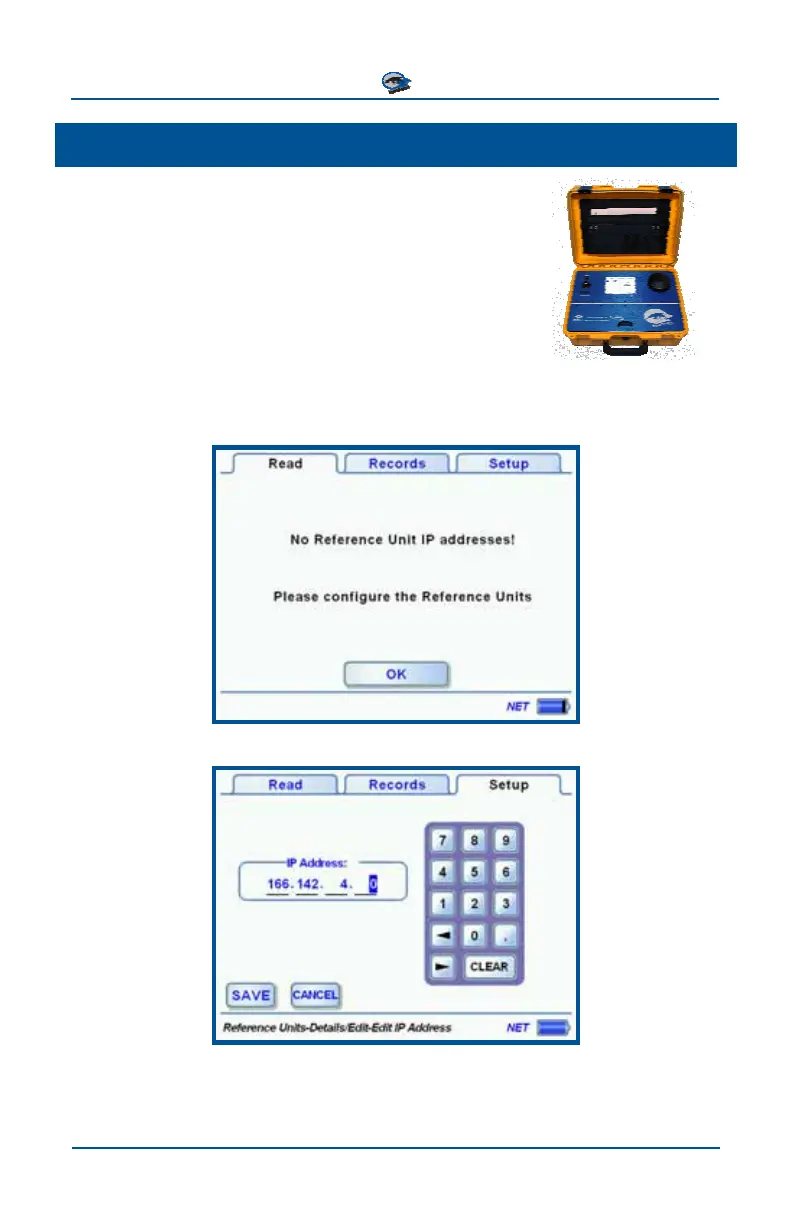
On power-up, the Field Unit acquires a GPS fix, registers on the network and
attempts to connect to the configured Reference Units. If there are no Reference
Units configured, the Read tab displays the following screen:
Enter the Network Address of the Primary Reference Unit.
To verify the Network Address of the Reference Unit, connect a PC to the Refer-
ence Unit and start the PhaseTrakker Utility software.



 To Next Page