Using the Field Unit
PhaseTrakker AP30
24
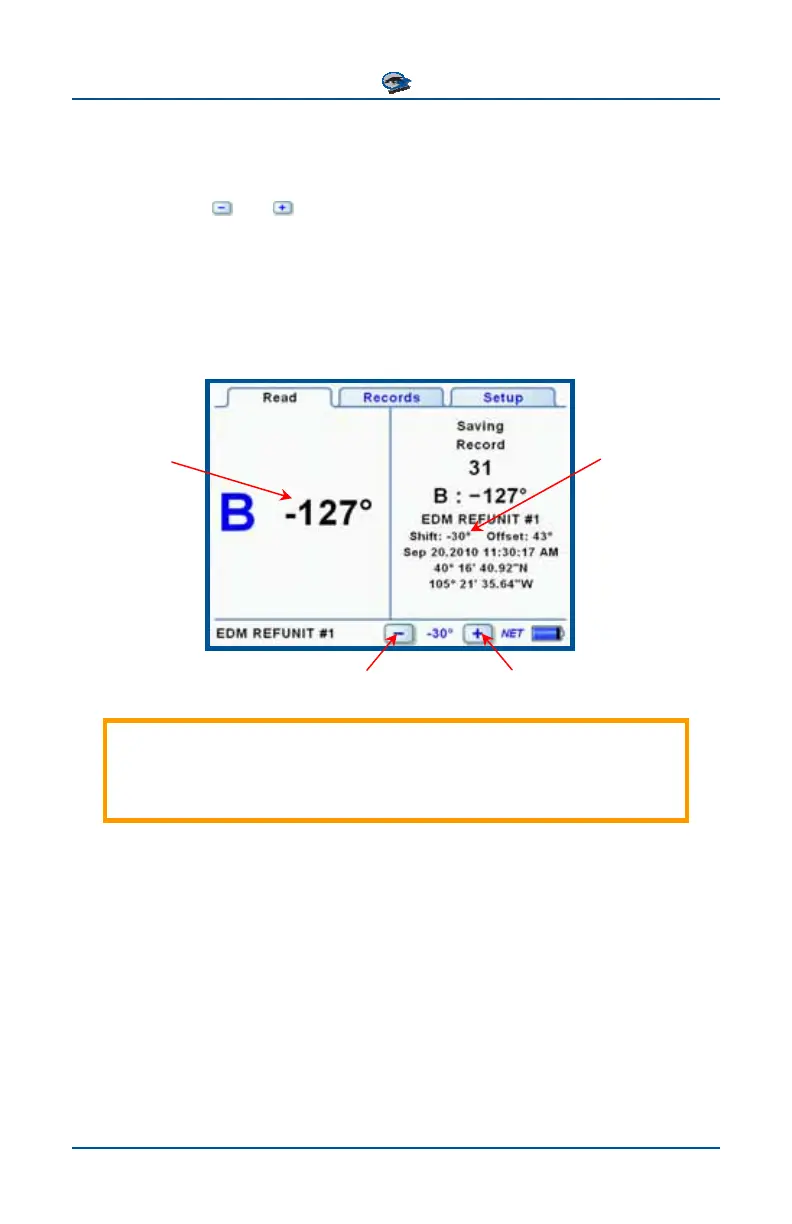
Adjusting for Phase Shift
When taking phase readings in some locations, it may be desirable to adjust for
phase shifts without recalibrating the Field Unit to the Reference Units. On the
Read Screen, the
and buttons are used to quickly adjust the degree meas-
urement by -60°, -30°, 0°, +30°, +60°, or 180° to account for shifts due to
transformers (e.g. switching between transmission and distribution voltage). The
selected Phase Shift value is reflected immediately in subsequent readings, and is
stored with each saved Record. Calibrating the Field Unit sets the Phase Shift
value to 0°.
Reading shown
reflects selected
Phase Shift
value
Phase Shift is
stored in Record
Important: The measurements for a set of three phases should be
taken with the same Field Unit Phase Shift setting. If the Phase Shift
setting is changed, take all three measurements again.
Increases Phase Shift
Decreases Phase Shift



 To Next Page