PhaseTrakker AP30 Using the Field Unit
27
Viewing Records
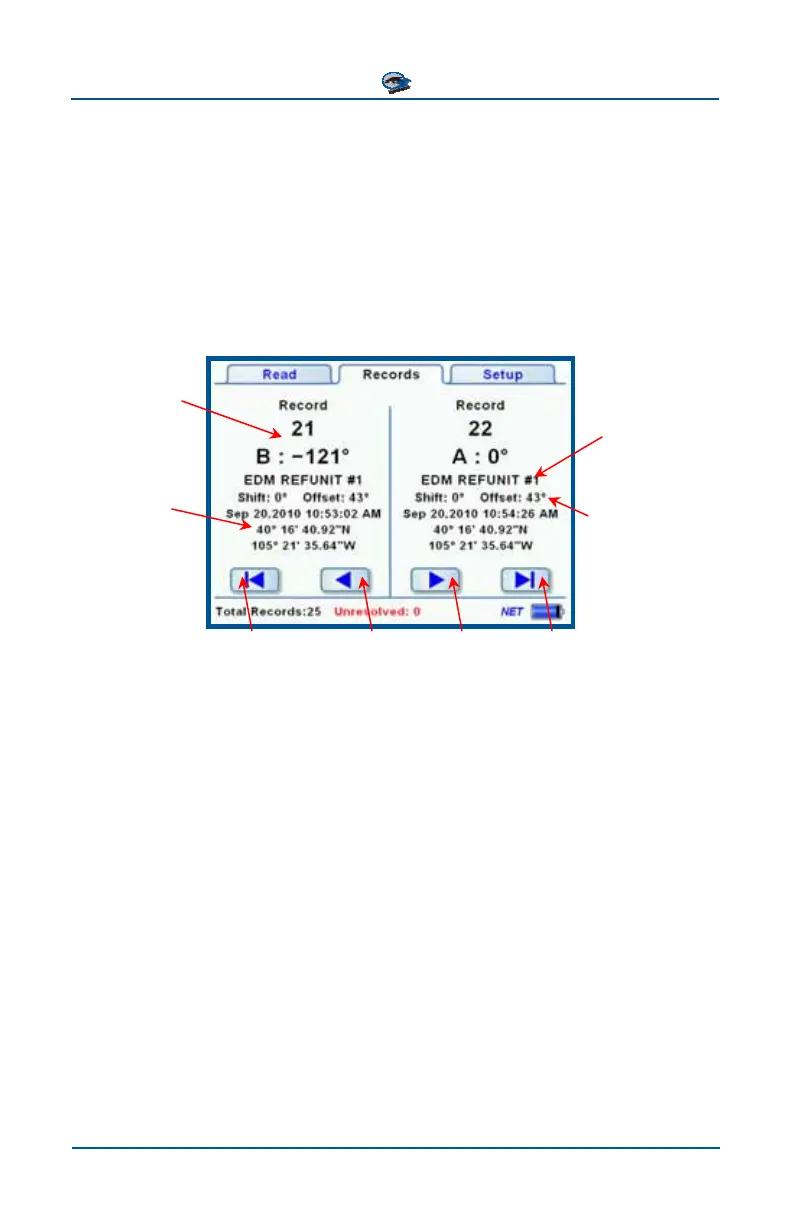
The Records tab allows you to step through the records saved on the Field Unit.
The total number of records and the number of unresolved (no reference) records
are listed in the summary line at the bottom of the screen. The Field Unit holds
1000 records. When the record memory is full, the oldest records are overwrit-
ten by the new records, and phasing work can continue. The navigation arrows
advance the screen by two records forward or backward, or jump to the begin-
ning or end of the list.
Record Number
Reference Unit
used to resolve
the reading
Phase ID and
Phase Angle
Date, time, and
latitude and
longitude of
Recording
Phase Shift and
Reference Off-
set used to cal-
culate the Phase
Angle
Jump to
end of list
Move two
records forward
Move two
records back
Jump to
start of list



 To Next Page