PhaseTrakker AP30 PhaseTrakker Utility
39
Clearing Records on the Field Unit
The Field Unit can store 1000 records. When the record memory is full, the old-
est records are overwritten by the new records, and phasing work can continue.
It is never necessary to remove the records the Field Unit memory, but this function is
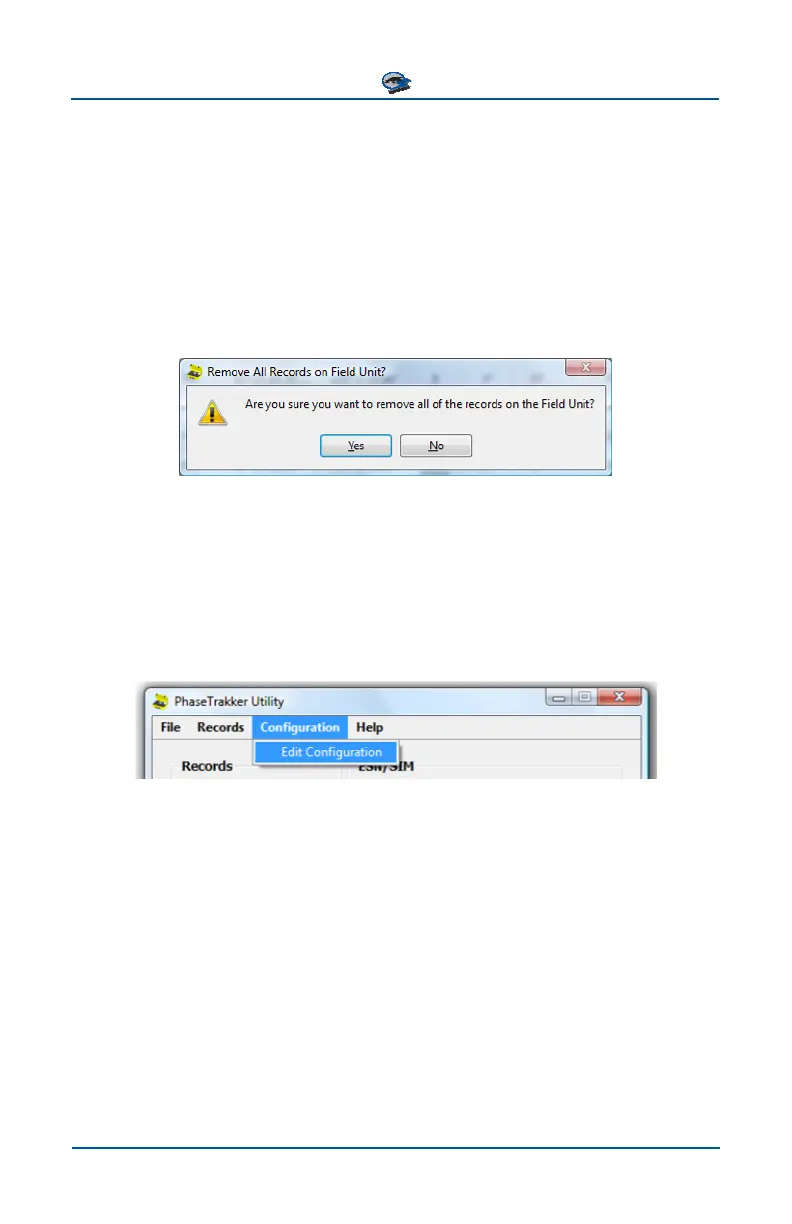
provided as a management tool. In the Field Unit Records window, select “Re-
move Records” to clear all of the stored records on the Field Unit. You will be
prompted to confirm this action before the field unit records are removed. The
Utility will retain the records on the Field Unit Records window until the window is
closed.
Setting the Field Unit Configuration
Most of the Field Unit configuration settings can be changed using either the Field
Unit touch screen or the PhaseTrakker Utility. Phase measurement preferences
for saving readings and tolerance for identifying phases cannot be set on the
Field Unit, and must be set using the PhaseTrakker Utility. To change settings
using the PhaseTrakker Utility, select “Configuration” and then “Edit Configura-
tion.”



 To Next Page