PhaseTrakker AP30 PhaseTrakker Utility
37
o
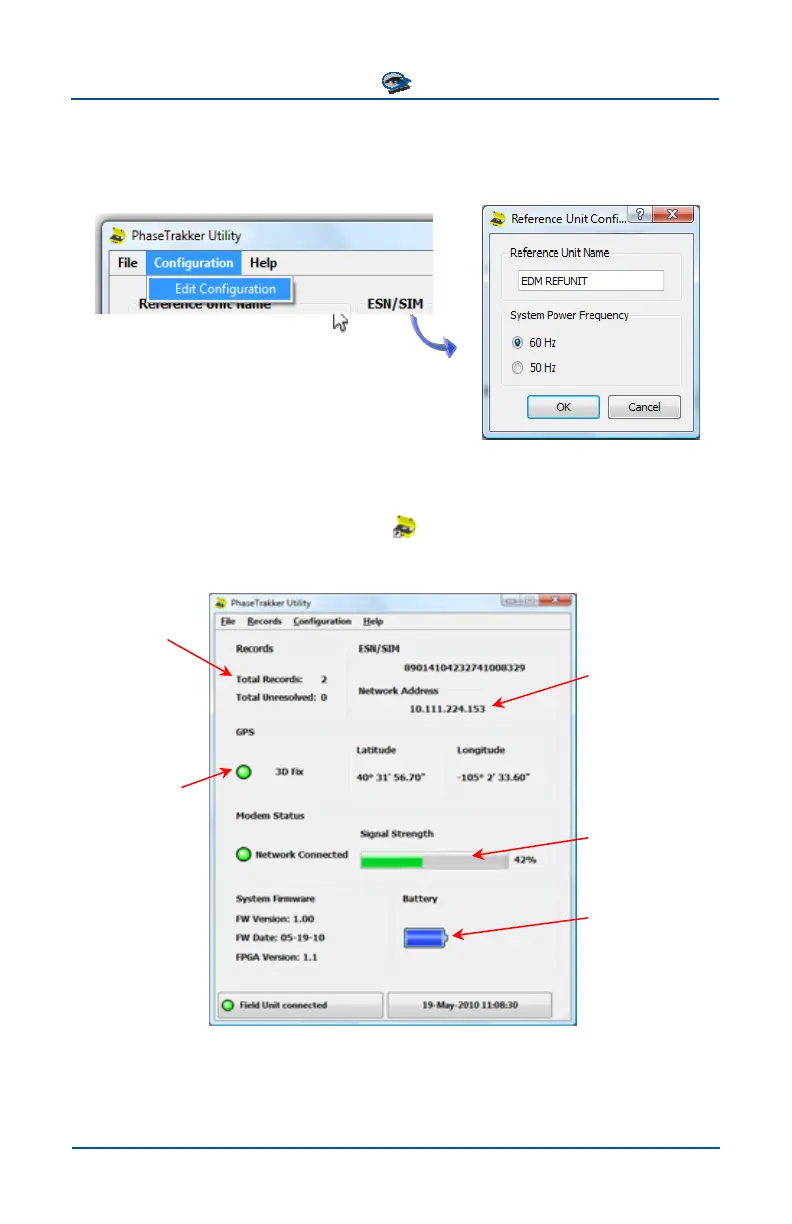
to change the Reference Unit system frequency (50 or 60 Hz) or a customized
name (alphanumeric, 16 characters). Select “Configuration” and “Edit Configur
tion” to customize the name and set the system frequency.
f the unit’s wireless networking device. The PhaseTrakker Utility is needed only
a-
t and the PC. Turn on the Field Unit and
Using the Utility with Field Unit
Connect a USB cable to the Field Uni
click on the PhaseTrakker Field Unit icon
to start the Utility. Once the Utility
has connected to the Field Unit, the following window is displayed.
Number of stored
Records and
number of Unre-
solved Records
Dynamic - a
ss new IP addre
is assigned by
the network at
each power up
A 2D or 3D Fix is
required for
phasing
Current Signal
Strength
Current battery
status



 To Next Page