CET Electric Technology
20
Chapter 3 Front Panel
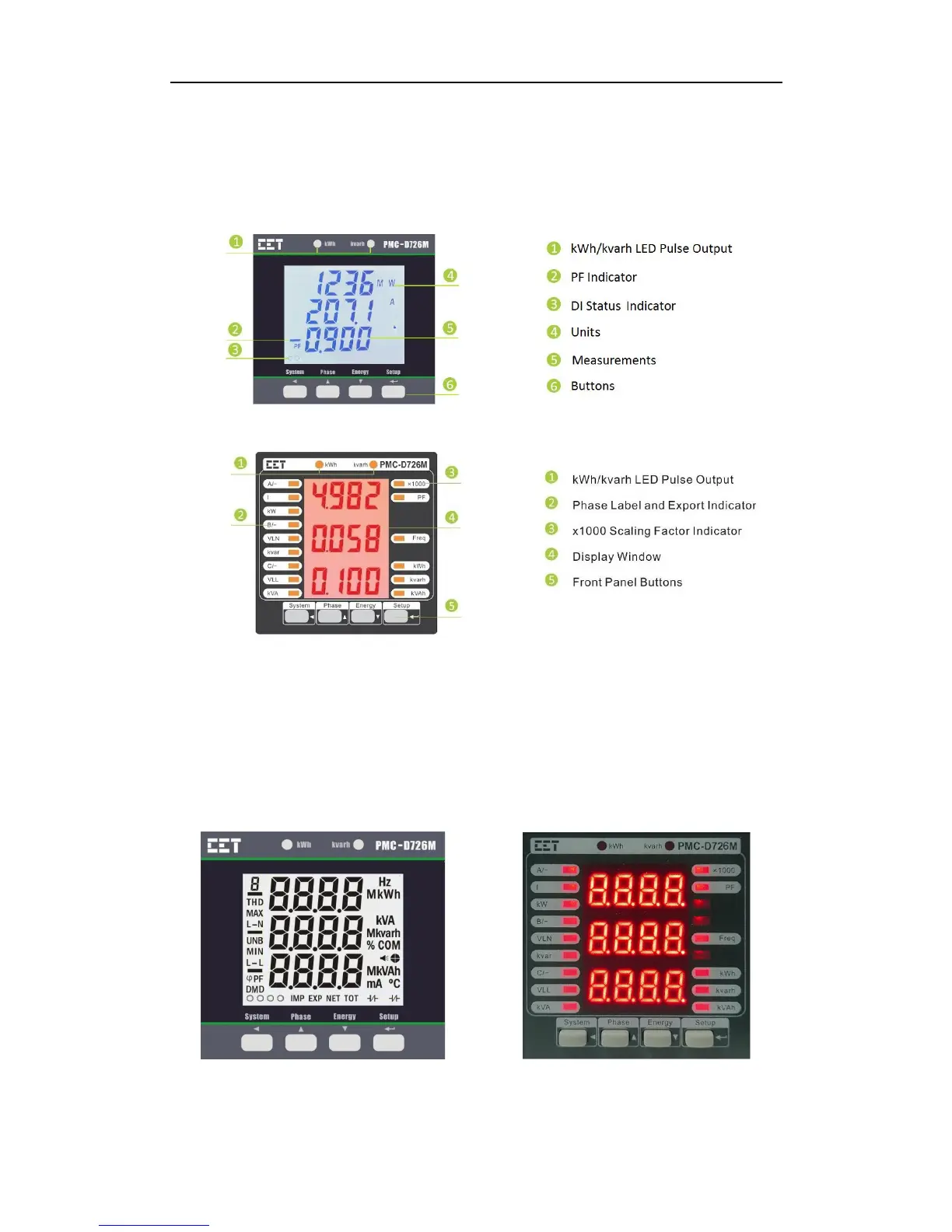
The PMC-D726M meter has a large, bright, backlit LCD or a high-contrast LED display and four buttons
for data display and meter configuration. This chapter introduces the front panel operations.
Figure 3-1 Front Panel (LCD)
Figure 3-2 Front Panel (LED)
3.1 Display
3.1.1 LCD/LED Testing
Pressing both the <Phase> and the <Energy> buttons simultaneously for 2 seconds enters the LCD/LED
Testing mode. All LCD/LED segments and LED indicators are illuminated during testing. The LCD/LED will
return to its normal display mode when any button is pressed.
Figure 3-2 Full LED/LCD Display



 To Next Page