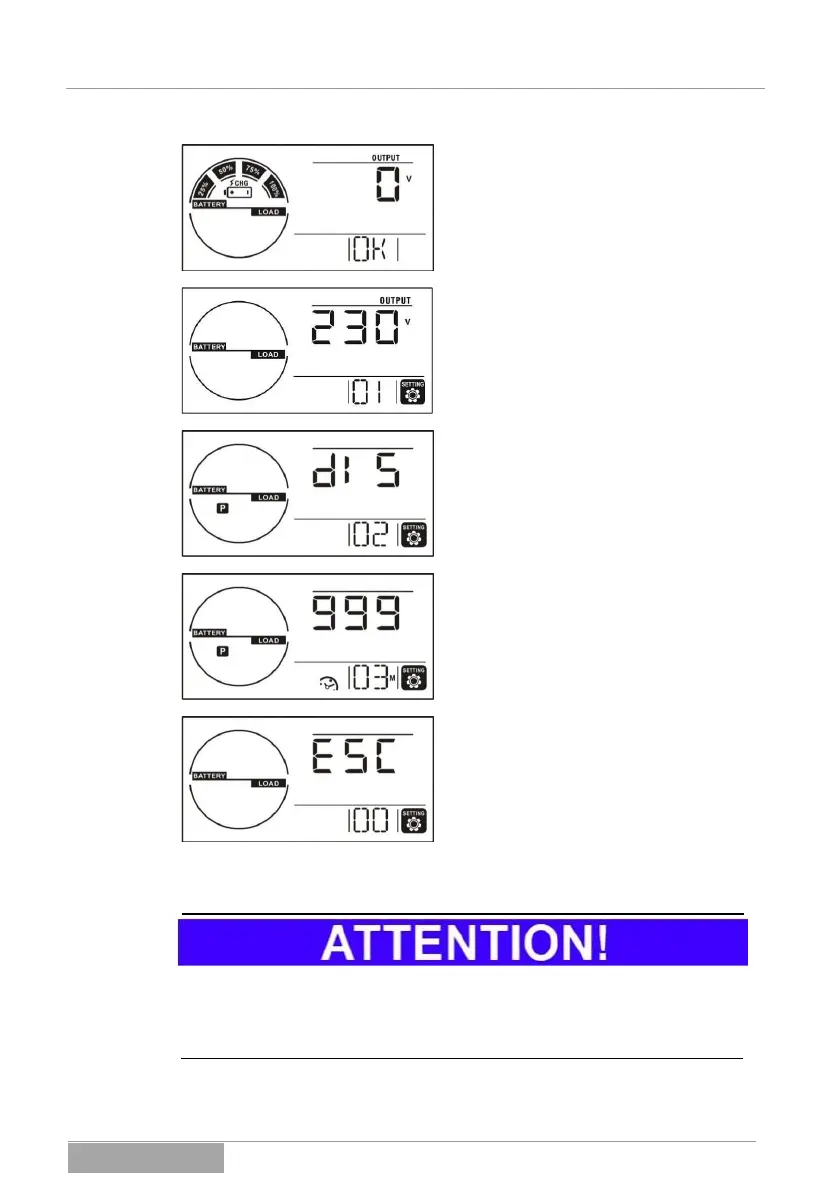
Step 1: Before switching to the setting
mode, the UPS must be in STANDBY
mode and the battery bank must be con-
nected and charged in accord with the
display pictured here.
Step 2: Activate the SELECT button for
more than 3 seconds; the device switches
to the setting mode in accord with the
display pictured here.
Step 3: Choose the corresponding menu
page 02 with the buttons. Also select
with (ENTER) in the parameter selec-
tion. The display pictured here appears.
Now choose () the ENA (ENABLE)
setting and confirm it with .
Step 4: Choose the corresponding menu
page 03 with the buttons, then again
press (ENTER). Enter the desired
support time and again confirm it with
(ENTER).
Step 5: Choose the corresponding menu
page 04 with the buttons. By confirm-
ing this with (ENTER), you will exit the
setting mode.
The settings performed first become active when the UPS is completely
switched off and then switched on again. To do so, the UPS (STANDBY mode)
must be separated from the supply network.



 To Next Page