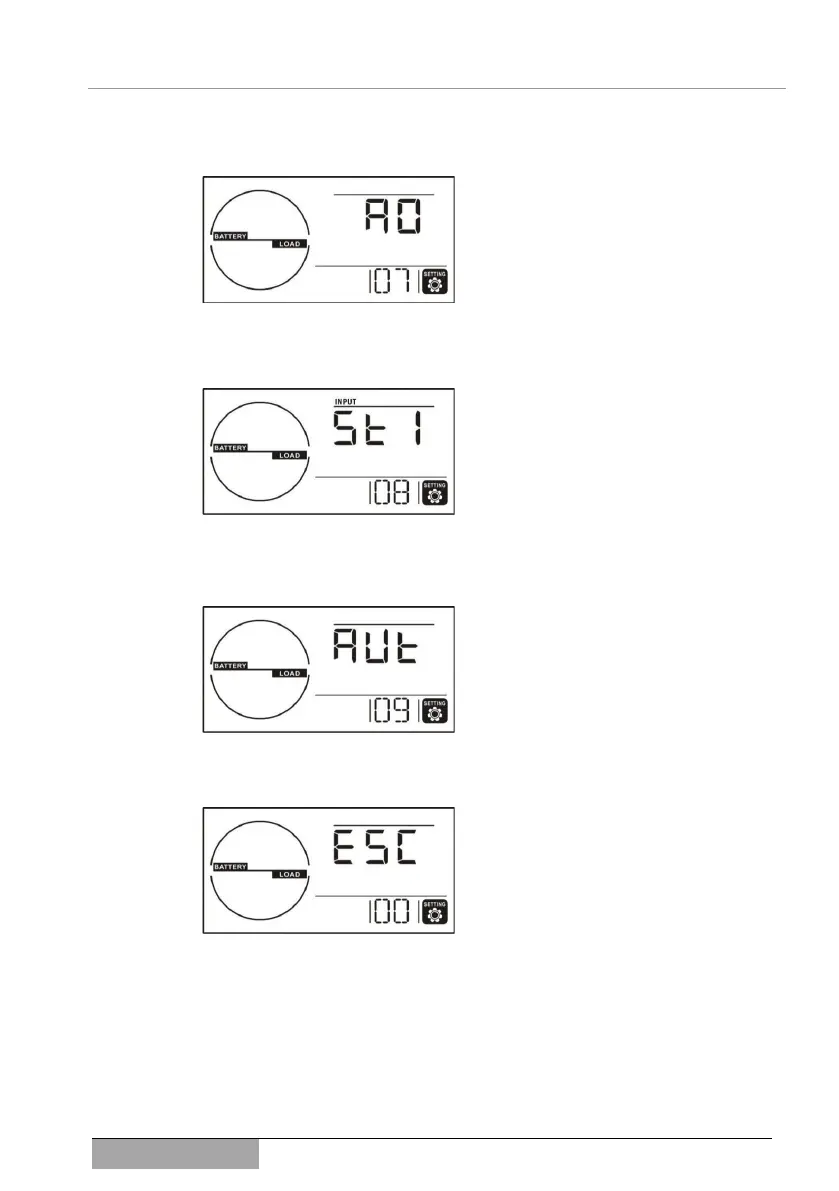
Menu page 7: Logic setting “EPO” (EMERGENCY POWER OFF)
It can be determined here how the EPO
input will be fail safe handled. Either as
“normally open contact” AC (ACTIVE
CLOSED) or as “opener” AO (ACTIVE
OPEN). The standard setting is AO.
Menu page 8: Sensitivity of the detection signal form, UPS input
The UPS permanently analyzes the form
of input voltage and switches to the auton-
omous mode in anomalies. The sensitivity
can bet set here: St1 high sensitivity, St2
medium sensitivity, St3 low sensitivity. The
standard setting is St1.
Com.: St3 is used, e.g., for a generator mode
(as power supply).
Menu page 9: Display backlight
The backlight is either permanent or
switches on for only a few seconds. The
following are available as parameters:
Aon: the light is always on, Aut: the light is
active for 60 seconds after pressing the
button. The standard setting is Aon.
Menu page 0: Exiting the setting mode (ESC)
You can exit the setting mode from this
menu page.
6.2.2 Examples of setting and process
✓ The device is in standby mode (6.1.1).



 To Next Page