E L A N H O M E S Y S T E M S
© ELAN Home Systems 2009 • All rights reserved. Page 19
D12 INSTALLATION MANUAL
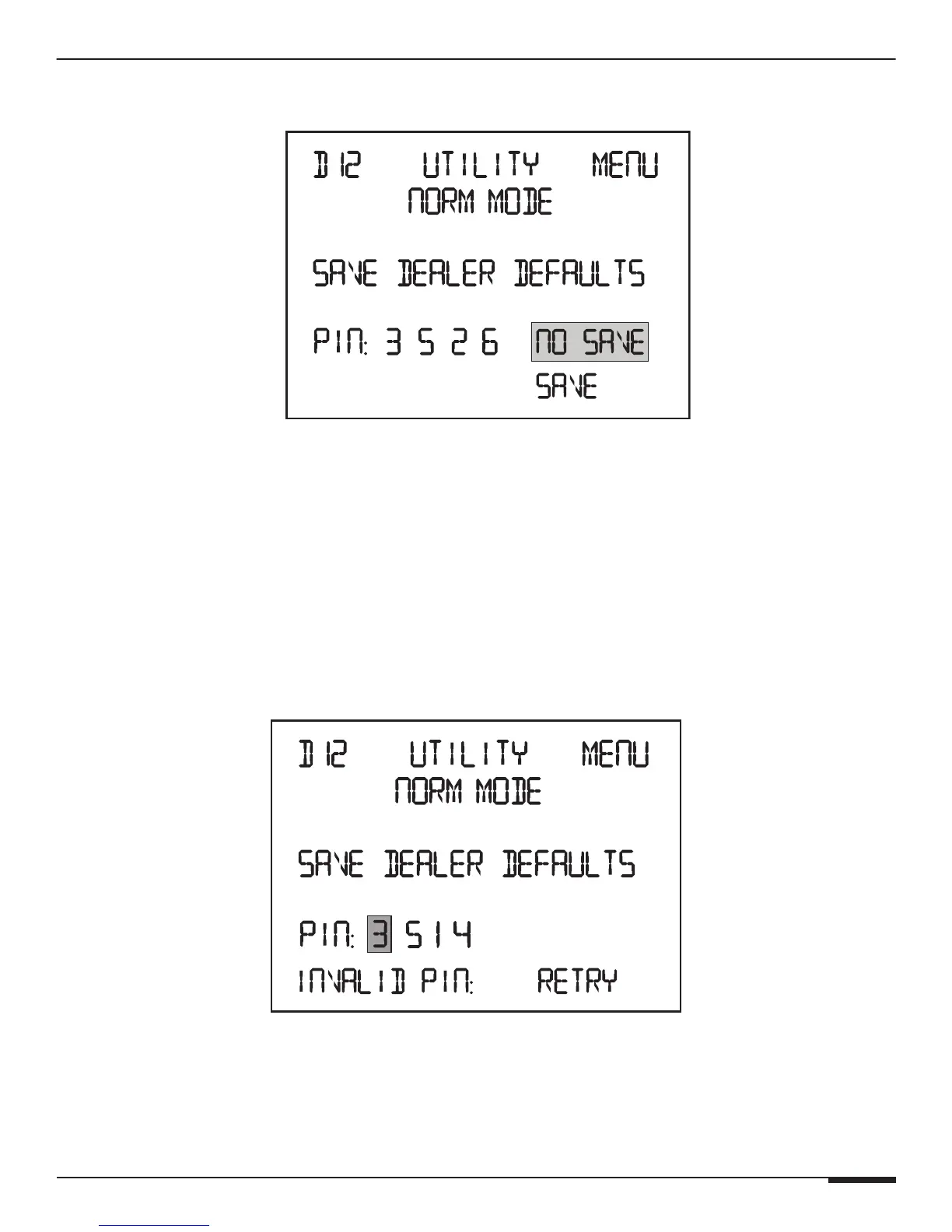
Pressing the Channel button on the fourth digit when 3526 was added will display:
Save Dealer Defaults Save/No Save
Press UP and DOWN buttons to select SAVE or NO SAVE.
Press the Channel button to commit the selection and cycle to the next Utility menu.
Press the Menu button to commit the selection and cycle to the beginning of the Main menu.
Pressing the Channel button on the fourth digit when 3526 was NOT entered:
Press UP and DOWN buttons to select SAVE or NO SAVE.
Press the Channel button when NO SAVE is the selection will cycle to the next Utility menu.
Press the Channel button when SAVE is the selection will display the following for two seconds and then hight-
light the first digit so the correct pin can be entered:
Saving Dealer PIN: Retry
Press the Menu button to CANCEL and cycle to the beginning of the Main menu.



 To Next Page