EasyManua.ls Logo

Elan HC6 - User Manual

Elan HC6
61 pages
Print Icon
To Next Page IconTo Next Page
Loading...
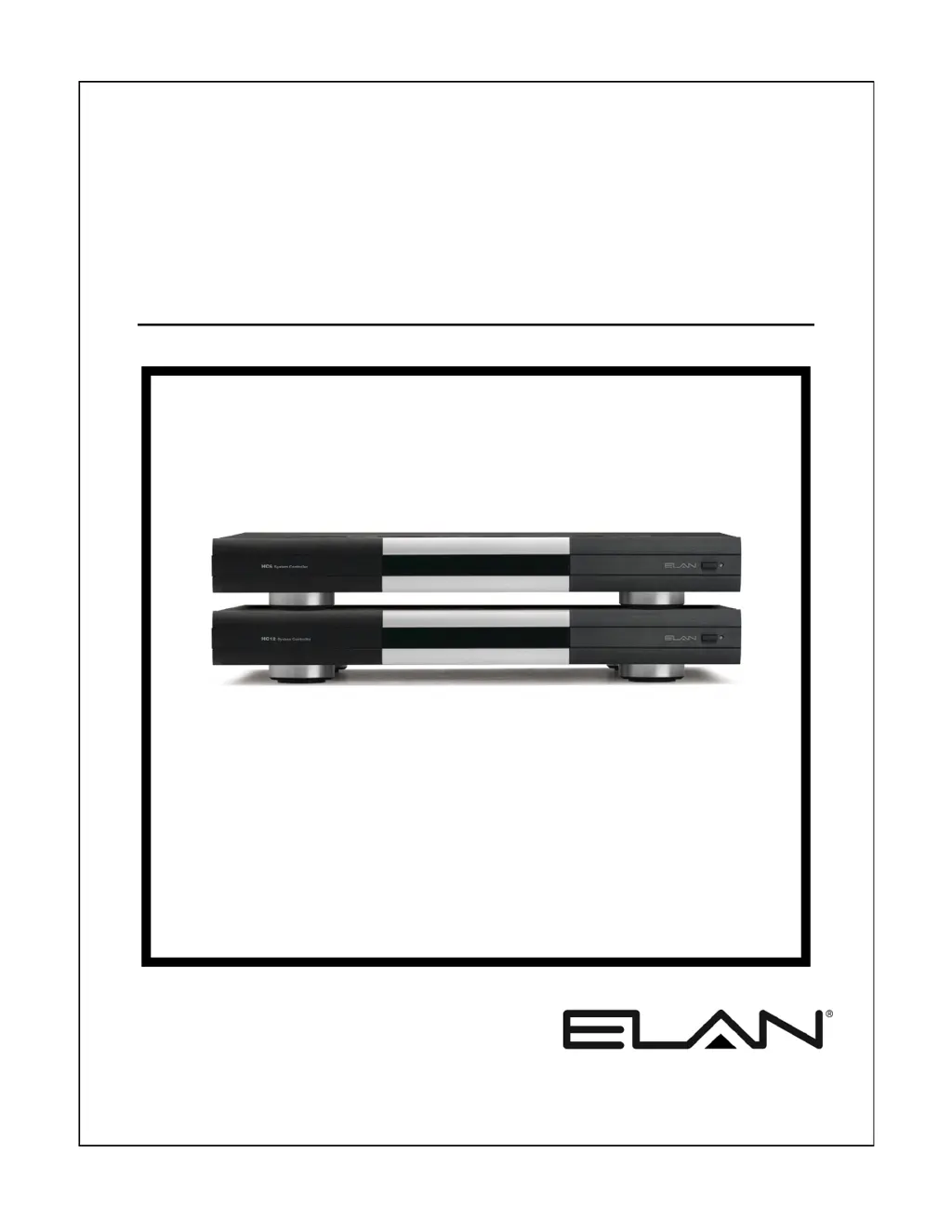
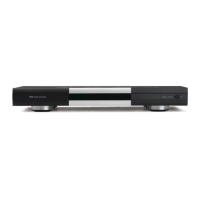
HC6/HC12
System Controller
INSTALLATION MANUAL

Table of Contents

Other manuals for Elan HC6

Questions and Answers

  • B
    Brenda SalazarSep 12, 2025
    How to resolve no VIANet communication or control of VIANet device on Elan HC6 Controller?
    • D
      Deanna HillSep 12, 2025
      If you're experiencing a lack of VIANet communication or control of a VIANet device with your Elan Controller, consider the following: * Verify the wiring and correct the pinout. * Ensure the Device VIANet Unit ID settings are correct. * Confirm that the device is powered on. * Check that the programmed VIANet commands are correct.
  • E
    Erica DavidSep 13, 2025
    What causes the IR output from PPWM punch-downs to not work on Elan Controller?
    • J
      Jessica WilliamsSep 14, 2025
      If the IR output from PPWM punch-downs is not working on your Elan Controller, here are some things to check: * Make sure the IR Link cable is connected. * Verify and correct the wiring or punch-downs. * Check and connect or verify the PPWM power supply.
  • S
    Selena HallSep 15, 2025
    Why is my Elan HC6 system unable to connect to the World Wide Web?
    • W
      walshjacobSep 15, 2025
      If your Elan Controller system cannot connect to the internet, ensure that the Default Gateway and DNS Server information in the g! ConnectPro configuration software is correct.
  • J
    Jeffery OdonnellSep 18, 2025
    How to troubleshoot an Elan Controller HC6/HC12 that will not power up?
    • J
      Jonathan McgeeSep 18, 2025
      To troubleshoot an Elan HC6/HC12 Controller that will not power up: 1. Connect the power cable. 2. Turn the power on. 3. Reset the circuit breaker.
  • L
    Luis DuranNov 19, 2025
    How to fix Elan Controller not showing in g! ConnectPro?
    • T
      Tina RussellNov 19, 2025
      If the Elan Controller isn't showing up in g! ConnectPro, there are several potential reasons: * The unit might not be powered or turned on, so verify the power and turn it on. * The Ethernet connection might not be properly connected. Ensure the Ethernet port is connected to a switch or router. * The computer and the System Controller could be on different networks; make sure they are connected to the same network. * The router or switch might not be functioning correctly or powered on; verify their functionality and power them on. * The computer's Wi-Fi connection might be faulty; try correcting the connection or use a hard-wired connection. * There might be an IP conflict with another device on the network. Correct the IP settings to avoid having the same IP address on mult...
  • K
    Kelly HayesDec 3, 2025
    How do I fix no control of a serial device with my Elan Controller?

    Summary

    Introduction

    The ELAN Story

    Background of ELAN Home Systems and its history in multi-room audio/video systems.

    HC6;HC12 Features

    Details the key features and capabilities of the HC6/HC12 System Controller.

    Applications Overview

    Overview of sub-systems controllable by the HC6/HC12, like Lighting, Security, and Media.

    HC6;HC12 Front Panel Display

    Illustrates and describes the front panel components and their functions.

    HC6;HC12 Rear Panel Connections

    Details and labels all rear panel ports and connectors for system integration.

    System Design and Applications

    System Design Introduction

    Steps for mapping and detailing system components for effective design planning.

    Pre-Wire Recommendations

    Specifics and recommendations for pre-wiring an HC6/HC12 system for optimal operation.

    HC6 Controlling an ELAN M86 A

    Describes connecting and controlling an ELAN M86A Multi-Room Audio Controller.

    HC12 Controlling an ELAN S86 A and V85

    Details controlling ELAN S86A and V85 components using the HC12 System Controller.

    HC12 Controlling ELAN S128 P with C2 Controller

    Connecting HC12 to S128P and C2 controller for system automation and features.

    HC6 Internal Player and IP Video Server

    Setup for streaming audio using the Internal Player and IP video server integration.

    HC12 Controlling a Sunfire TGR-401 Receiver

    Controlling a Sunfire TGR-401 AV receiver using the HC12 via serial commands.

    Connections

    RS-232 Connections

    How to integrate devices using RS-232 serial communication for control and feedback.

    RS-485 Connections

    Connecting to RS-485 controlled devices using specific wiring and naming conventions.

    VIANet Connection

    How to connect TS2 touchpads and ELAN VIANet devices for system communication.

    Relay Connections

    Connecting relays for automated events like lift or screen operation.

    Sense Input Connections

    Using Sense Inputs to trigger Event Maps and conditional macros.

    IR Output Connections

    Connecting IR emitters to control various devices from the system controller.

    External IR Input Connection

    Receiving IR input from receivers for On-Screen Display (OSD) control.

    Audio Output Connections

    Connecting Internal Player's audio outputs to multi-room controllers or home theater systems.

    Component Video Input; Output Connections

    Displaying video sources and OSD on a monitor using component video connections.

    Ethernet Connections

    Connecting to touchscreens, NAS devices, and the internet via Ethernet.

    USB Connections

    Connecting USB modems for messaging features like answering machines.

    IR Link Connection

    Accommodates multiple IR outputs for system expansion and controller integration.

    IR Link Connection Advanced Application

    Advanced application for IR routing with multi-zone controllers and zone emitters.

    Operation

    Power Switch and Front Panel LED

    Location and function of the power switch and the front panel power indicator LED.

    Rear Panel System Status LEDs

    Explains the function of the four system status LEDs on the rear panel.

    Serial Port LEDs

    Describes the amber and green LEDs for serial port activity (transmit/receive).

    VIANet Port LEDs

    Explains the function of the VIANet port LEDs for data transmission and reception.

    Ethernet Port LEDs

    Details the LEDs for Ethernet port link (connection) and activity.

    Precision Panels

    PPWM Precision Panel

    Interface between HC6/HC12 and zone panels, covering IR, Sense, Relays, and RJ-45.

    PPIR Precision Panel

    Connection point for IR receivers and zone located serial controlled devices.

    PPIS Precision Panel

    Connection point for Global Caché GC-IRE for IR to RS-232 conversion.

    PPRM Precision Panel

    Provides connections for IR output, Sense input, Relay output, and RJ-45.

    PPSP Precision Panel

    Provides DC power distribution for up to 8 in-wall panels.

    PPVN Precision Panel

    Connects TS2 touchpads and PPIR panels to the System Controller.

    Troubleshooting

    General Troubleshooting

    Common issues like no power, power switch off, or tripped circuit breakers.

    Serial Device Issues

    Troubleshooting no control or feedback from serial devices, including wiring and drivers.

    VIANet Communication Problems

    Resolving issues with VIANet communication and device control.

    Relay Control Issues

    Diagnosing problems with relay controls not working due to wiring or programming.

    Sense Input and Event Map Issues

    Troubleshooting Event Maps and conditionals not working properly with sensors.

    IR Operation Problems

    Solutions for IR controlled devices not responding due to faulty wiring or emitters.

    Audio Output Troubleshooting

    Troubleshooting no audio output from the Internal Player, checking cables and inputs.

    Video Display Issues

    Resolving issues with OSD display or source video, including cable and input problems.

    Ethernet Connectivity Issues

    Troubleshooting system controller visibility and access issues over Ethernet.

    Network Information

    IP Configuration Guide

    Recommended steps for changing IP address to a static address for network stability.

    Port Forwarding Settings

    Details on configuring router ports for remote access and service connections.

    Rack Mounting

    Rack Mounting Instructions

    Instructions for securely mounting the HC6/HC12 in a standard 19" equipment rack.

    Specifications

    Device Specifications

    Lists connector types, power consumption, dimensions, weight, and internal player capacity.

    Elan HC6 Specifications

    General IconGeneral
    Power Supply12V DC
    RS-232 Ports2
    Operating Voltage12V DC
    TypeController
    CompatibilityELAN System
    CommunicationEthernet, RS-232, IR
    Ethernet1
    Communication InterfacesEthernet, RS-232, IR
    Operating Temperature0° to 40° C (32° to 104° F)

    Related product manuals