9 DIAGNOSTICS SYSTEM
9.1 Access diagnostics for TC5/TC4 styling
The operations listed below must be carried out within 7 seconds.
9.2 Access diagnostics for TC3 styling
The operations listed below must be carried out within 7 seconds.
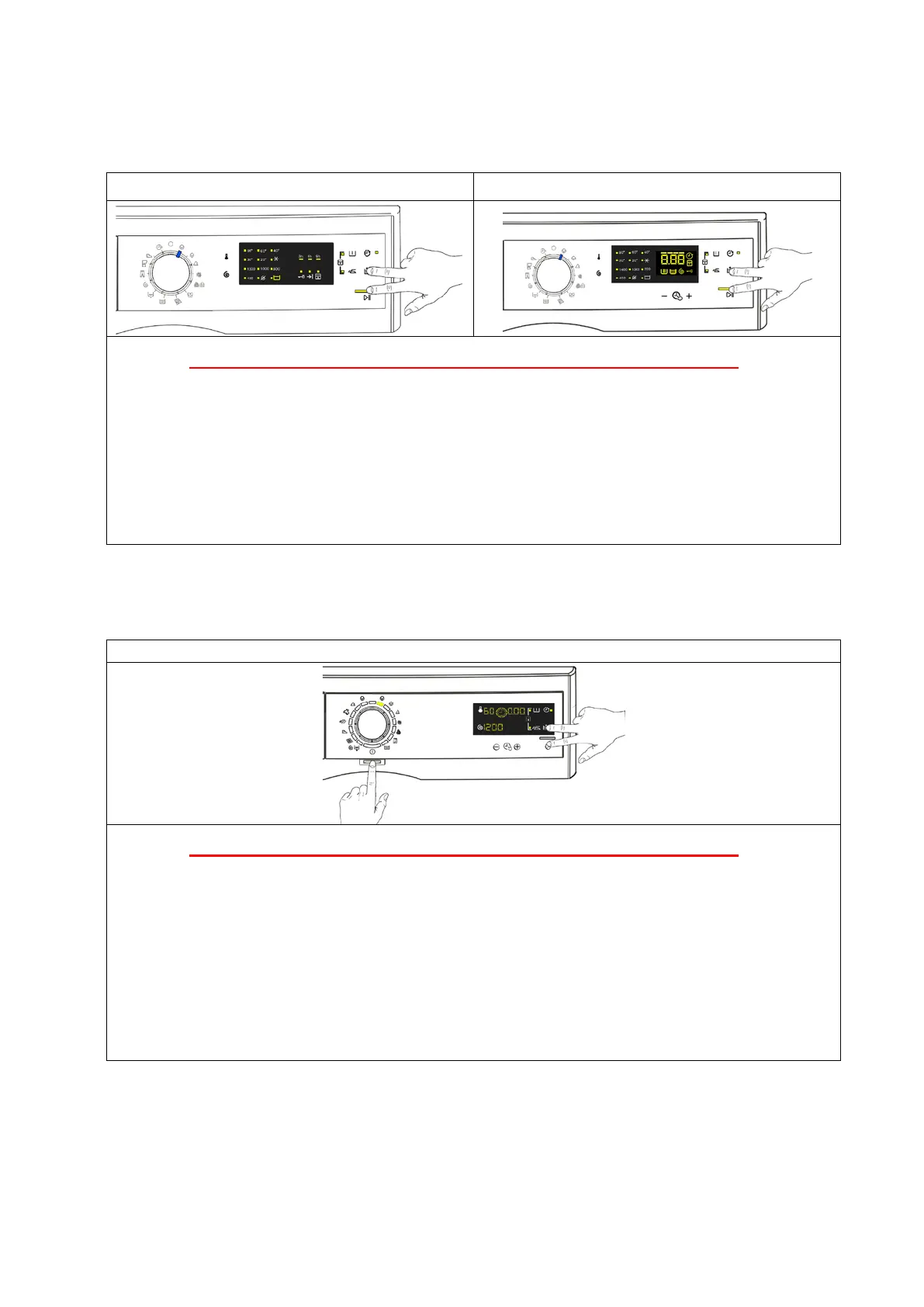
Do not start the procedure with your fingers over the combination sensors
1. Switch on the appliance using the ON/OFF button. The first LED lights up.
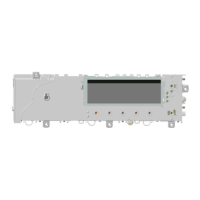
2. Simultaneously press the START/PAUSE button and the nearest option sensor
(as shown in the diagram).
3. Hold your fingers over the sensors until the LEDs and symbols begin to flash in sequence
(approximately 3 seconds).
In the first position, the operation of the sensors, the LEDs and the groups of symbols shown on
the LCD display is checked.
When the programme selector is turned in a clockwise direction, the operation of the various
components is diagnosed and the alarms are read (see diagnostic test on the next page).
9.3 Quitting the diagnostics system
→ To exit the diagnostic cycle, switch the appliance off then back on:
For TC3 styling press the ON/OFF push button, while for TC4/TC5 styling rotate the knob to 0 (zero).
If “ELE” appears on the LCD screen when you turn the appliance on, repeat the operation of turning it on
and off.
TC5 TC4
Do not start the procedure with your fingers over the combination sensors
1. Set the selector dial to position 0 (zero).
2. Rotate the programme selector by one position clockwise.
3. Simultaneously press the START/PAUSE button and the nearest option sensor
(as shown in the diagram).
4. Keep your fingers above the sensors until the LEDs and display symbols start flashing.
In the first position, the operation of the buttons and the related LEDs is checked; turning the
programme selector dial clockwise runs the diagnostic cycle for the operation of the various
components and reads any alarms.
Technical Support - DMM 34/124 599 75 58-67 Rev.04



 To Next Page