112 Section G - Ice & Water Dispenser
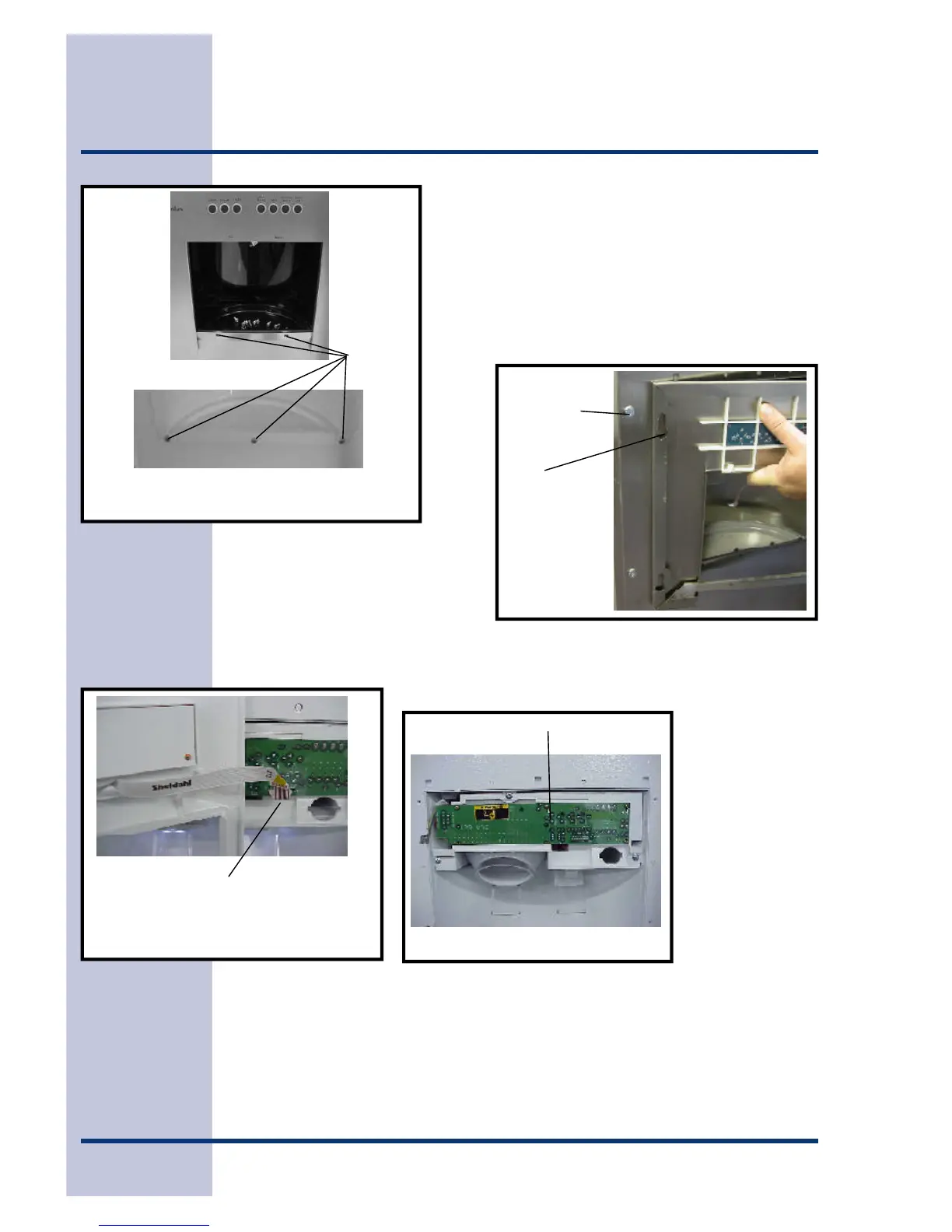
With the drip tray removed, remove the 3 screws at
the bottom of the front panel, two screws on Icon
models. (See Figure 8.)
Lift up on the front panel, there are tabs on the top of
the panel that slide into holes in the door panel. On
Icon models the tabs are on the sides. (See Figure
9.) Swing panel out to side, being careful not to pull
the ribbon connector for the control board.
Carefully unplug the ribbon connector from the power board on the dispenser in the
door. (See Figure 10) This will give you access to the power board. (See Figure 11)
Figure 8
Remove
screws
Icon
Models
All Other Models
Figure 10
Unplug the ribbon from the power
board.
Figure 11
Power Board
Figure 9
Screws in
outer
door panel
Panel
tabs





 To Next Page