25
Section C - Electronic Controls
ALARMS AND SIGNALS
Temperature Alarm
Enabling is automatic and started at the time product is plugged in POR (power on
Reset) but is delayed until actual Freezer temperature = Freezer temperature set
point and actual Fresh Food temperature = Fresh Food temperature set point.
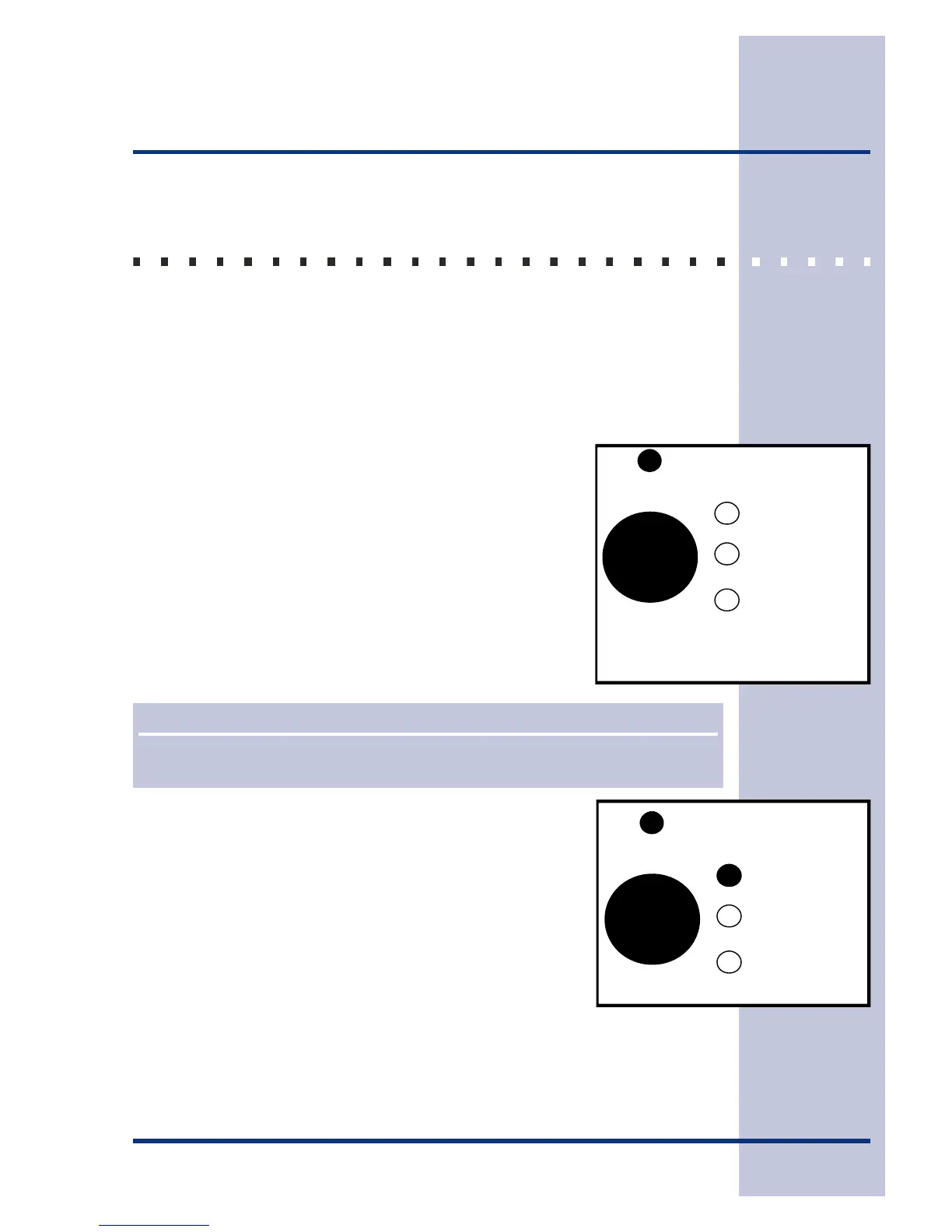
Once set points are reached, Alarm LED (Green) will come ON, steady state,
indicating Alarm is active.
Alarm Condition
Alarm is enabled and active. Temperature parameters are within
tolerances. Alarm LED (Green) is ON and steady state.
Reset Button
Press once to reset any Alarm condition. Alarm LED (steady
green).
Press and hold reset 3 seconds (you will hear one beep) to turn
all alarm functions Off.
Press and hold reset 3 seconds (you will hear one beep) to turn
all alarm functions On.
Default at POR (power on reset) is On.
Door Ajar LED (flashing green)
If either door is open for 5 minutes, this light blinks and control
beeps. Condition is reset if the opened door is closed or reset
button is pressed.
Fresh Food and/or Freezer doors have been open for at least
5 minutes. (See Example 2.)
NOTE
When POR (power on reset) The Alarms are delayed (180 Minute maximum) until set
points temperatures are reached.
Alarm
Reset
Example 1
Door Ajar
High
High Temp
Alarm is on. Everything OK
Power Failure
Alarm
Reset
Example 2
Door Ajar
High
High Temp
Power Failure





 To Next Page