SOI/DT 2010-03 dmm 27/78 599 72 84-41
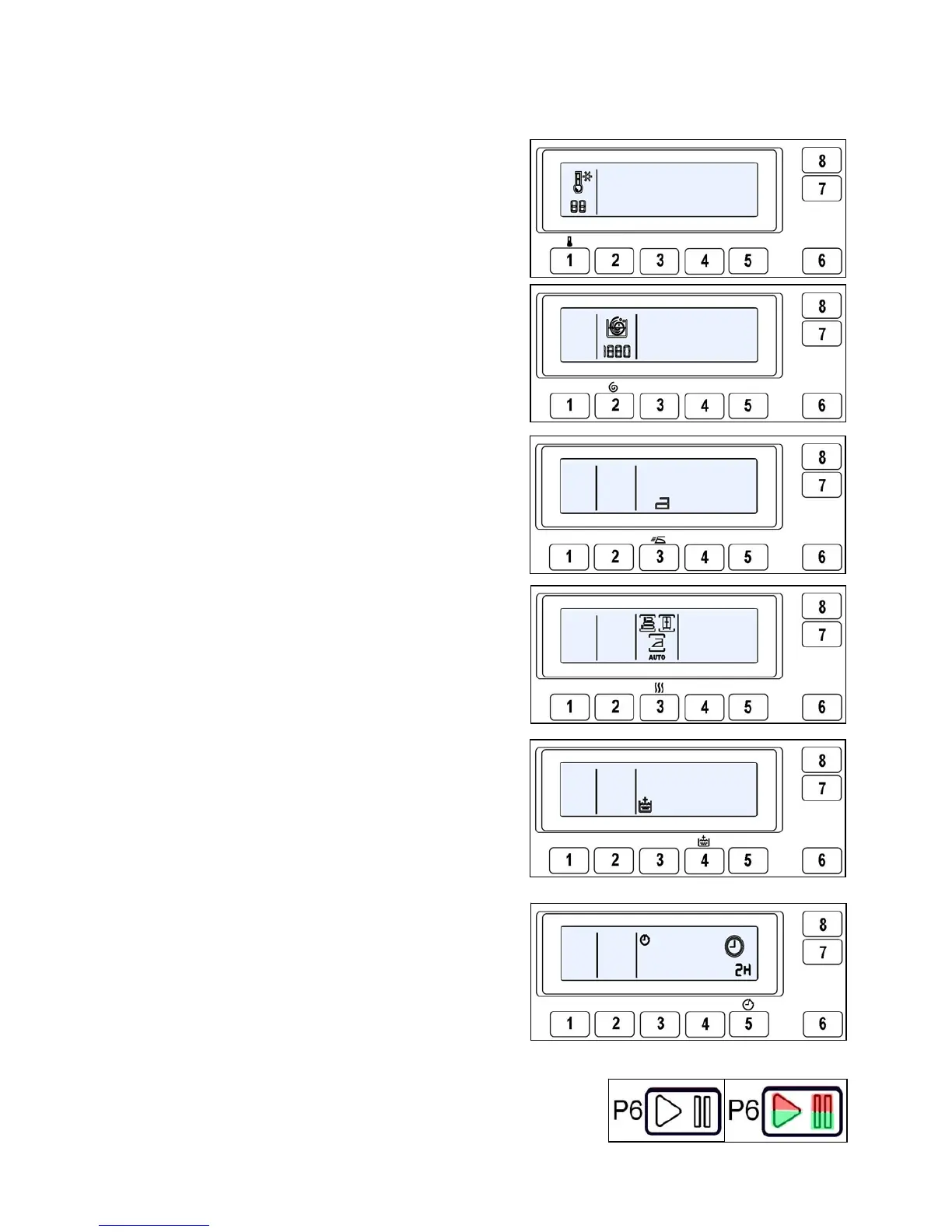
5.2.1.4 Pushbuttons and LCD display
The functions of each button are defined by the configuration of the appliance
• Button no. 1: TEMPERATURE
The default programme temperature is the basic one.
Press the button to modify it from a maximum to a
minimum depending on the programme. The
thermometer symbol is modified concurrently.
• Button no. 2: SPIN
The spin speed suggested by the programme is the
maximum speed. Press the button to vary the speed
down to zero, or switch to NIGHT cycle and RINSE
HOLD (with related symbols lit).
• Button no. 3: OPTIONS (version WM)
Configurable button. The options available for this
button are:
− Pre-wash (it can also be configured as a programme)
− Easy-iron (it can also be configured as a programme)
− Intensive
• Button no. 3: OPTIONS (version WD)
Configurable button. The options available for this
button are:
− Extra dry
− Wardrobe dry
− Iron dry
− Automatic drying
• Button no. 4: OPTIONS
Configurable button. The options available for this
button are:
− Super rinse
− Quick
• Button no. 5: DELAYED START/SUPER RINSE
Configurable button. It can perform the function of:
- Delayed start
- Super rinse
• Button no. 6: START/PAUSE
This button is configurable and has the function of START/PAUSE
(inside there are two LEDs, one red that flashes in the event of an
alarm and one green that flashes when the appliance is in pause
mode or in combination with the red one to indicate the alarm
code).



 To Next Page