SOI/DT 2010-03 dmm 76/78 599 72 84-41
15 ACCESS TO THE WM/WD ELECTRONIC CONTROL SYSTEM (NEXUS
cabinet)
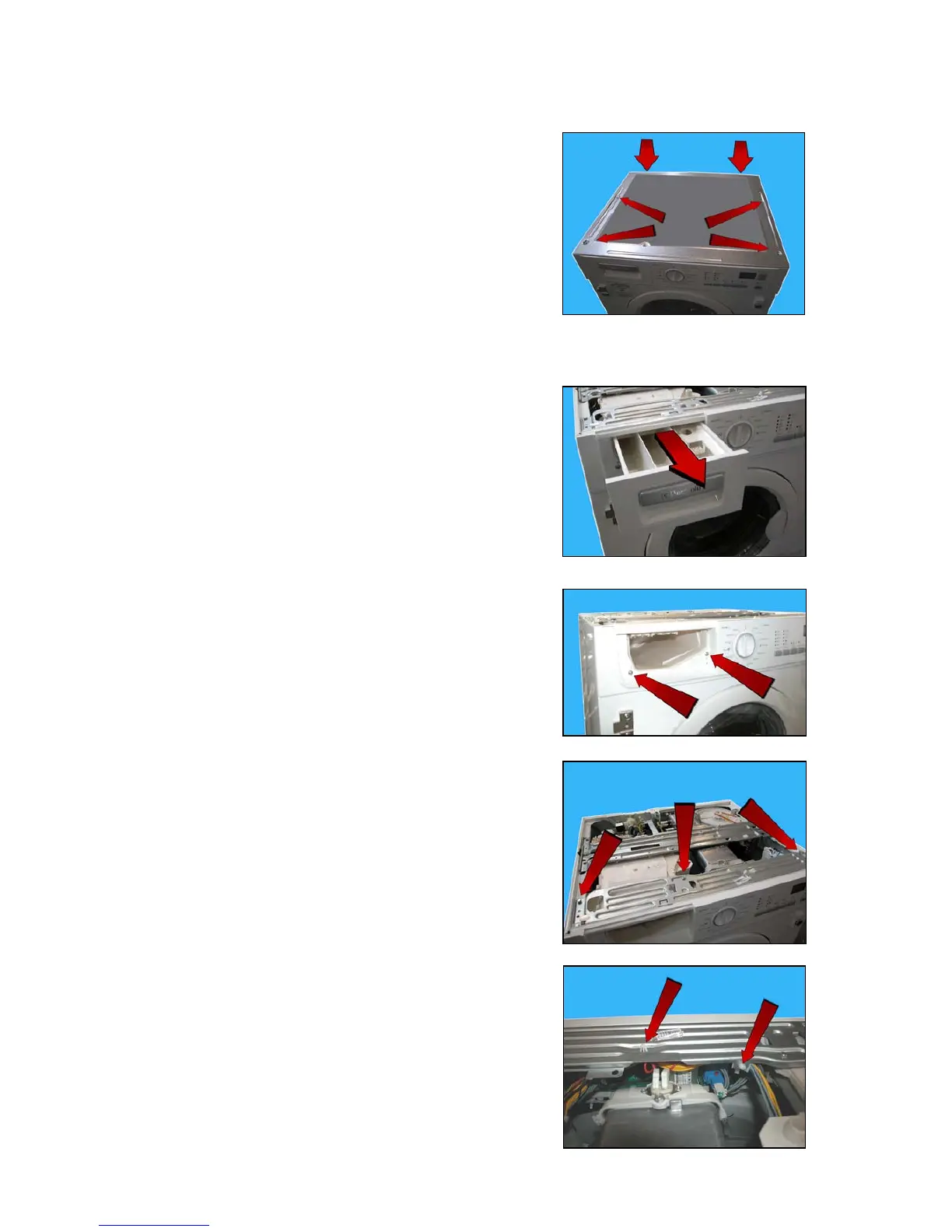
15.1 Worktop
a. To remove the sheet panel, unscrew the four screws situated
above the top and the two rear screws.
15.2 Control panel
b. Extract the detergent dispenser.
c. Loosen the two screws which secure the control panel to the
dispenser.
d. Loosen the three screws which secure the crosspiece to the cabinet
and to the conveyor.
e. Release the wiring supports from the crosspiece.



 To Next Page