SOI/DT 2010-03 dmm 31/78 599 72 84-41
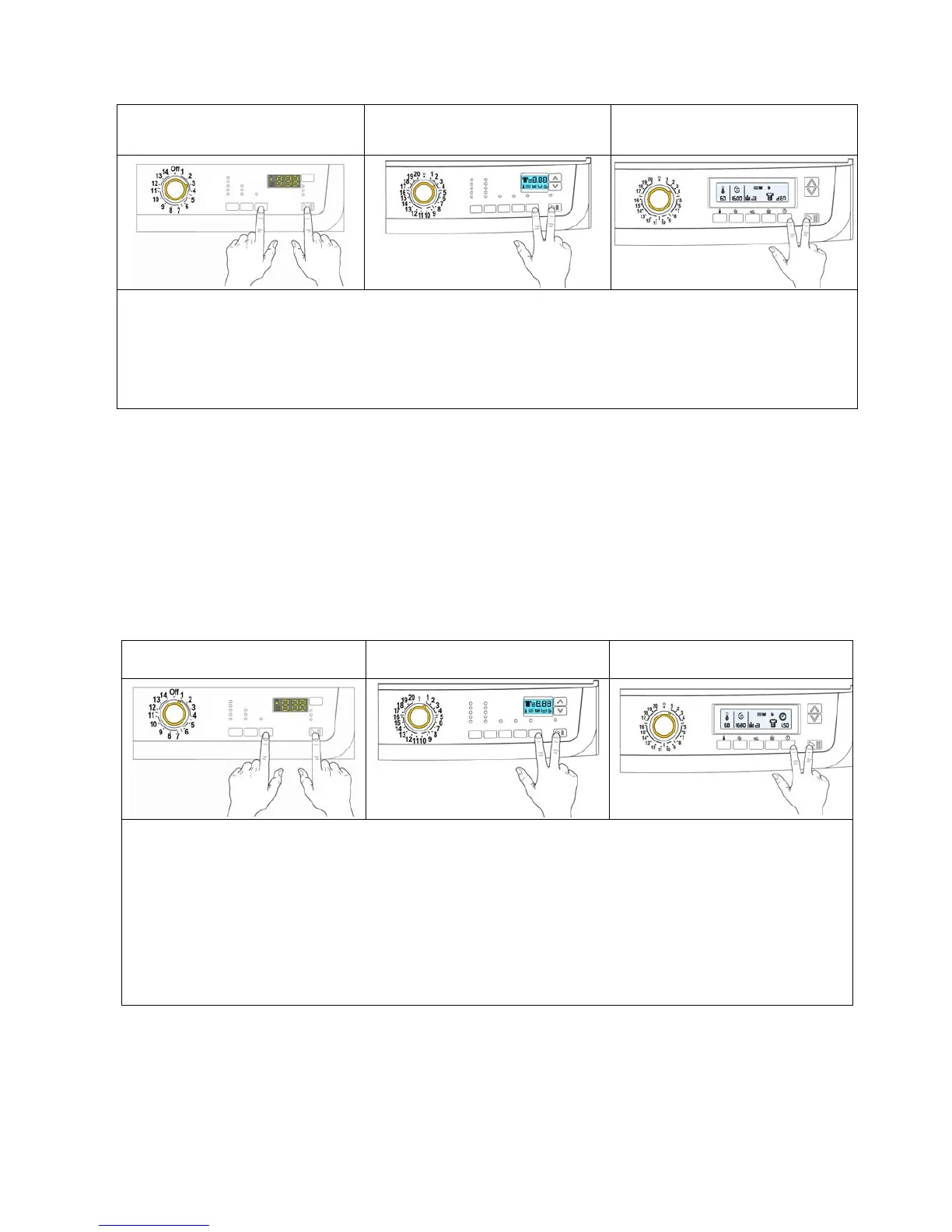
6 DEMO MODE SETTING
Version TC4
Version TC3
“Time Manager” “Proportional”
Version TC2
“Time Manager” “Proportional”
1. Switch off the appliance
2. Press the START/PAUSE button and the nearest option button simultaneously (as shown in the figure).
3. Holding down both buttons, switch the appliance on by turning the programme selector by three
positions clockwise.
4. Hold the buttons down until “dEM” flashes for a short time.
6.1 Exiting DEMO mode
To exit demo mode, switch the appliance off (programme selector in off/cancel position)
7 DIAGNOSTIC SYSTEM
7.1 Accessing diagnostics
Version TC4
Version TC3
“Time Manager” “Proportional”
Version TC2
“Time Manager” “Proportional”
1. Switch off the appliance
2. Press the START/PAUSE button and the nearest option button simultaneously (as shown in the
figure).
3. Holding down both buttons, switch the appliance on by turning the programme selector by one position
clockwise.
4. Hold the buttons down until the LEDs and symbols begin to flash in sequence (at least 2 seconds).
In the first position, the operation of the buttons and the related LEDs is checked; turn the programme
selector knob clockwise to run the diagnostic cycle for the operation of the various components and to ready
any alarms.
7.2 Quitting the diagnostics system
→ To exit the diagnostic cycle, switch the appliance off, then back on and then off again.



 To Next Page