SOI/DT 2010-03 dmm 73/78 599 72 84-41
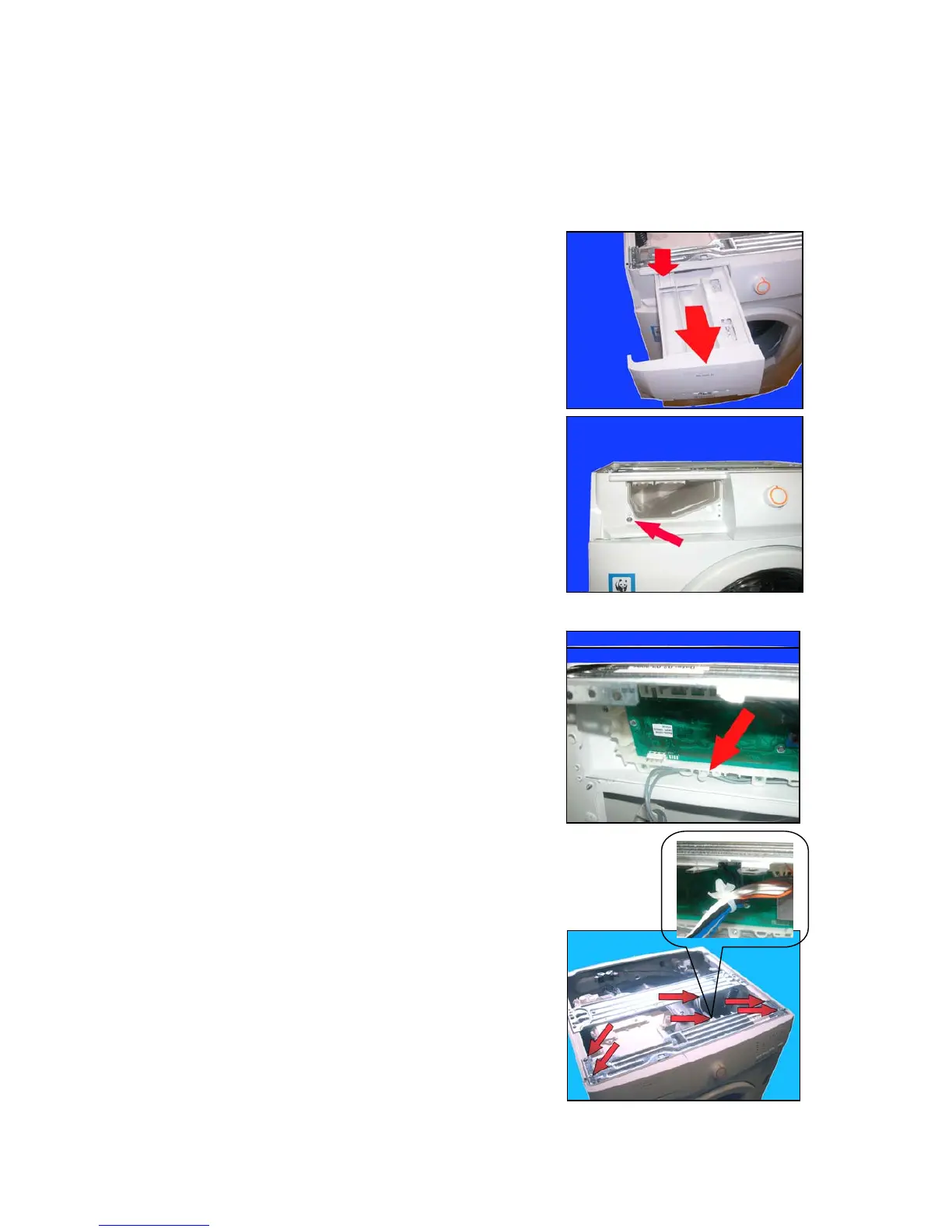
14 ACCESS TO THE WM ELECTRONIC CONTROL SYSTEM (HC cabinet)
14.1 Worktop
a. Remove the two rear screws securing it to the cabinet and push the top panel backwards to remove it.
14.2 Control panel
b. Press the drawer lock.
c. Extract it.
d. Remove the screw which secures the control panel to the dispenser.
e. Cut the clamp which secures the wiring to the PCB casing (use a
new clamp when re-assembling it).
f. Release the wiring from the clamp.
g. Release the clamp from the crosspiece.
h. loosen the screws which secure the crosspiece to the cabinet.
b
c
d
e



 To Next Page