SOI/DT 2010-03 dmm 74/78 599 72 84-41
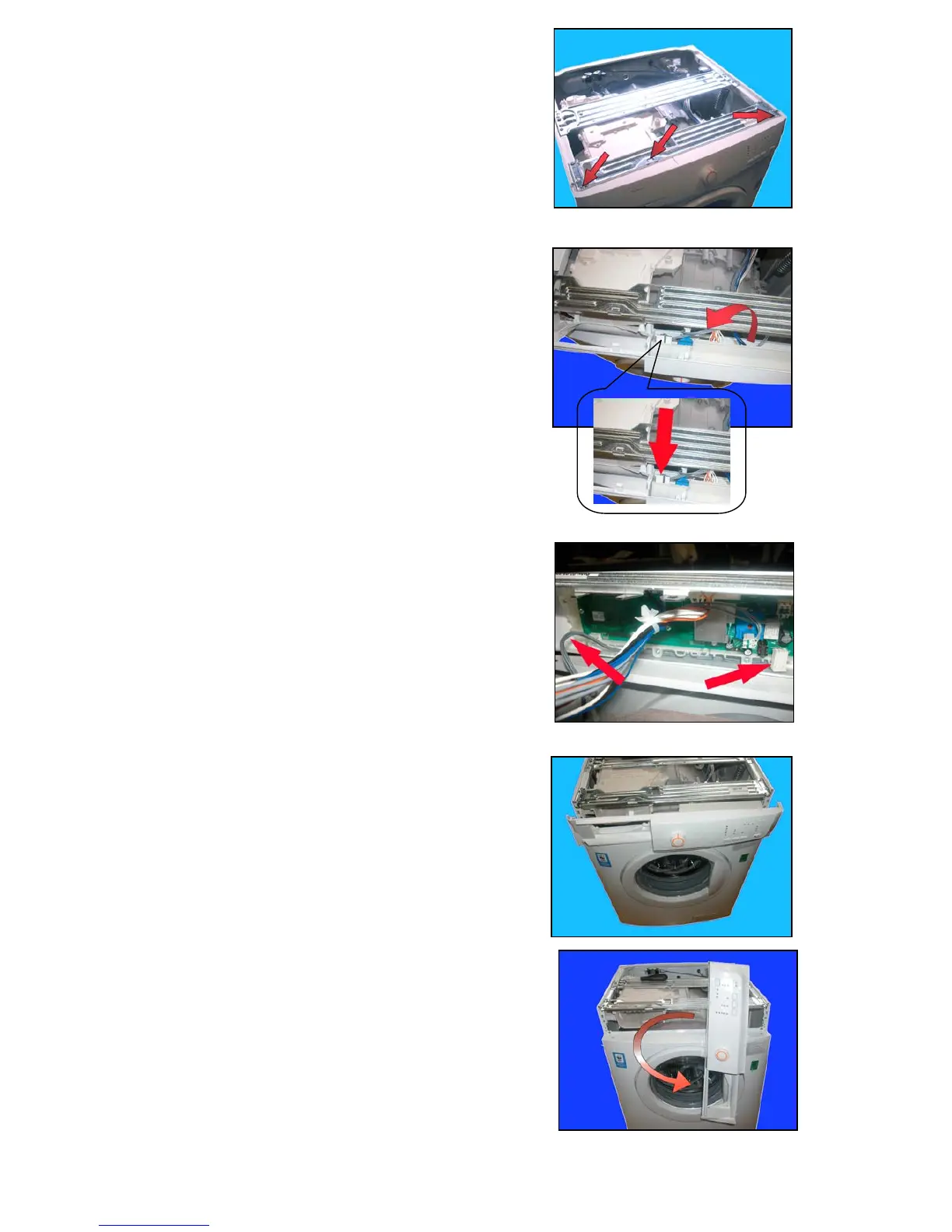
a. Loosen the screws which secure the control panel to the
crosspiece.
b. Release the hook.
c. Lift the control panel up and extract it.
d. Rotate the control panel.
e. Detach the connector indicated by the arrow.
f. Arrange the wiring as shown in the figure.
g. Extract the control panel.
h. Rotate the control panel.
a
a
b
d



 To Next Page