SOI/DT 2010-03 dmm 75/78 599 72 84-41
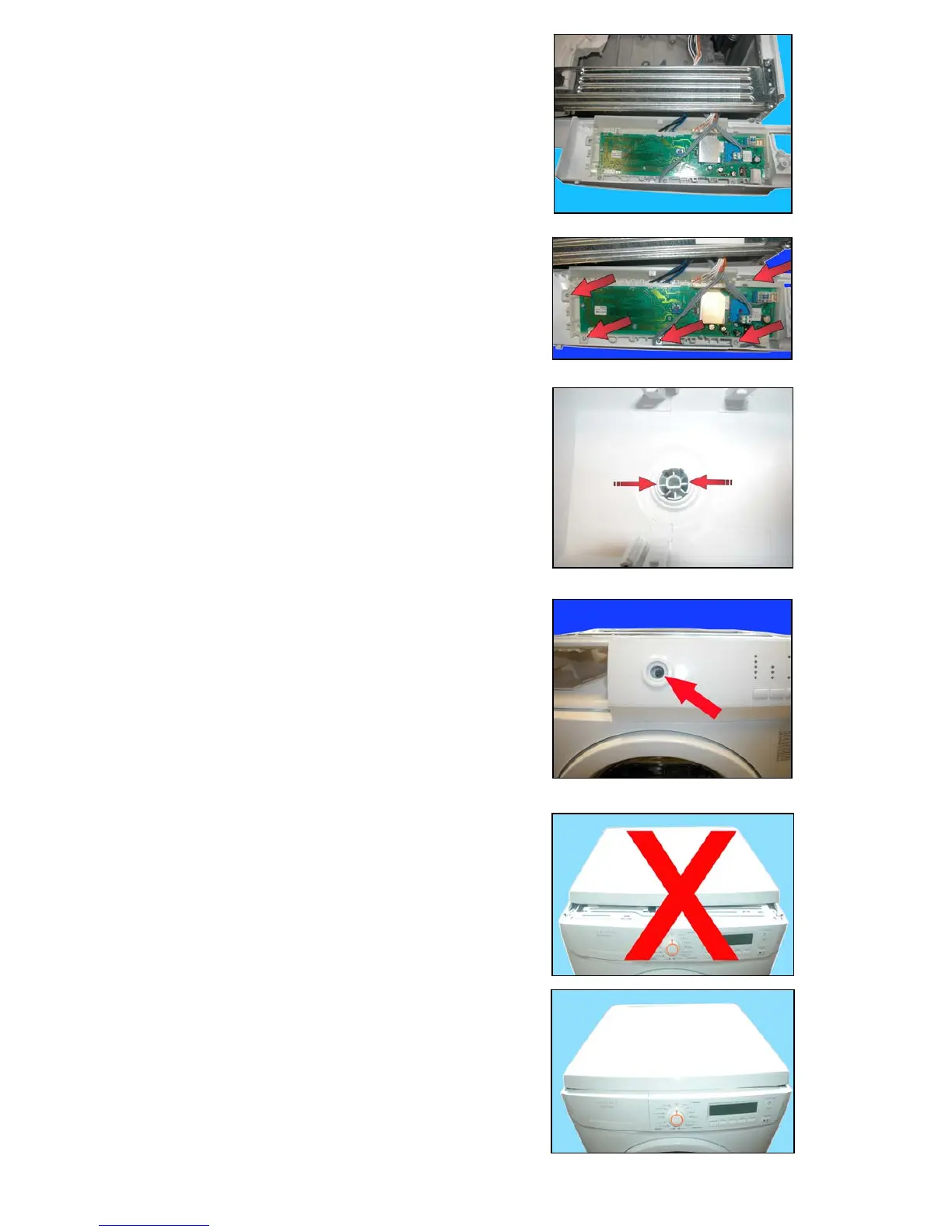
a. Position it as shown in the figure.
b. Remove the screws and release the hooks which secure the
PCB casing to the control panel.
c. Before mounting the new PCB, extract the knob, by pressing the
hooks indicated by the arrows as shown in the figure.
While re-assembling, repeat the same operations in the reverse
order and take care to position the knob correctly.
While remounting the worktop, please take care not to position it as
shown in fig. A but rather as shown in fig. B.



 To Next Page