Electrolux
EFS - Dishwashing Systems Platform
Electrolux Professional
DOC. NO. 5956.573.05 P. 6 / 88
A2 ACCESSING THE USER MENU AND SERVICE MENU
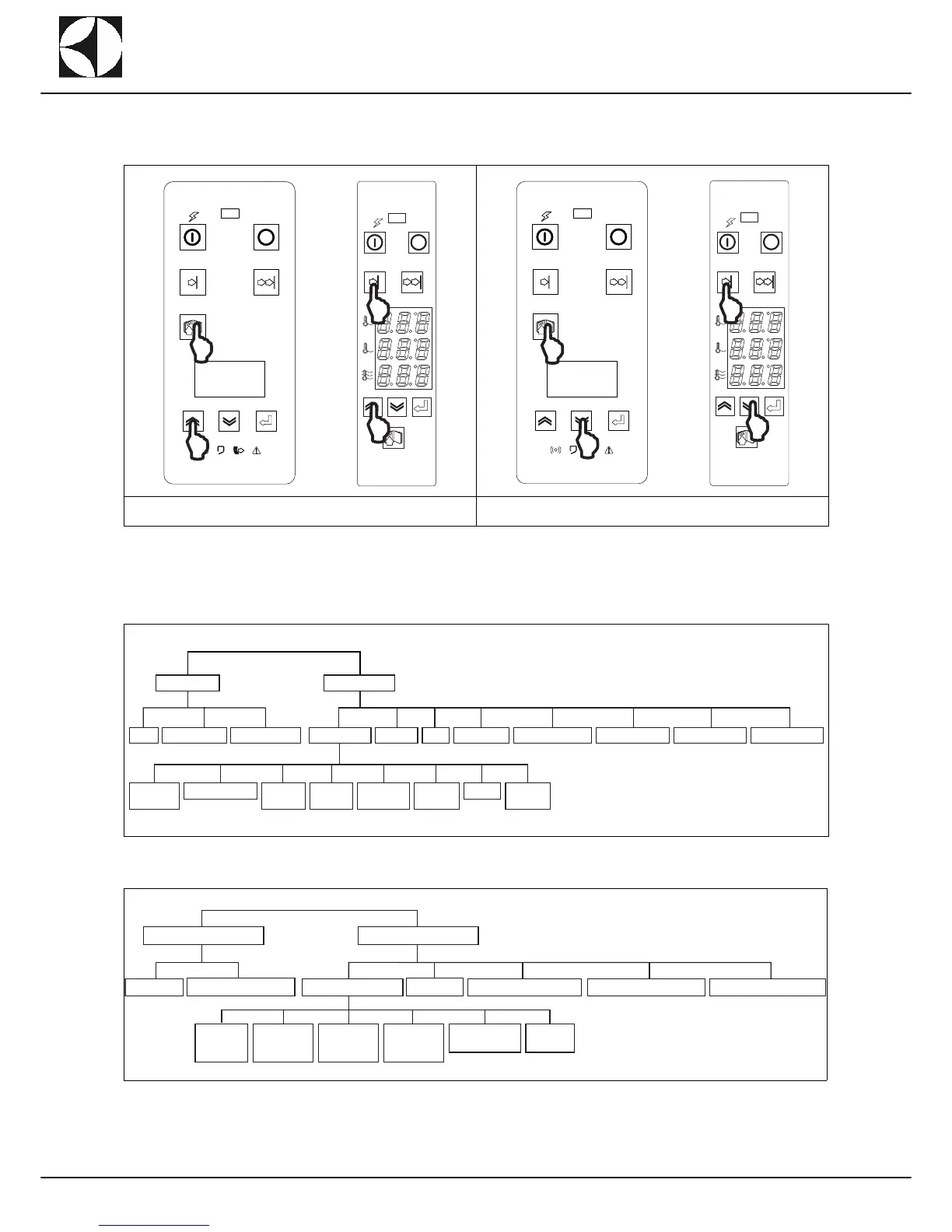
From normal machine operation mode all the parameters and information can be accessed for programming
the electronic boards by pressing the combinations of keys displayed in (Figure 3) and in (Figure 4).
From the USER MENU and SERVICE MENU it is possible to access the following parameter families and infor-
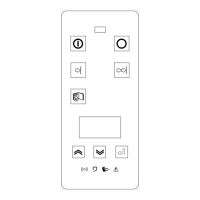
mation see (Figure 5) and (Figure 6) using the increase (“A” - (Figure 1)) and decrease (“B” - (Figure 1)) keys
to select the object, the confirm key (“C” - (Figure 1)) to access the selected object and the accessory functions
key (“D” - (Figure 1)) to exit the object.
Figure 5 Parameter and function access menu chart for Modular Rack Type
Figure 6 Parameter and function access menu chart for Compact Short Rack Type
Figure 3 Accessing the USER MENU Figure 4 Accessing the SERVICE MENU


 To Next Page