EasyManua.ls Logo

Element P100 - Appendix II Data Code Prefix and Suffix; Setting Barcode Prefixes

Element P100
70 pages
Print Icon
To Next Page IconTo Next Page
To Previous Page IconTo Previous Page
Loading...
P100
User Manual
53
UCC Coupon Extended
Code
47
0x2F
0
Disable
ISBT Concatenation
48
0x30
1
Enable
Convert Code 39 to Code
32
49
0x31
1
Enable
Convert I 2 of 5 to EAN 13
50
0x32
0
Disable
Convert GS1 DataBar to
UPC/EAN
51
0x33
0
Disable
Code 128 Emulation
52
0x34
0
Disable
Appendix Data code prefix and suffix
For example: set the prefix character @ Steps:
1. Scan the setting barcodeEnable prefix 1--> Scan the setting barcode@ Prefix added
characters @
2. Scan the setting barcodeEnable prefix 2--> Scan the setting barcode! Prefix added
characters @
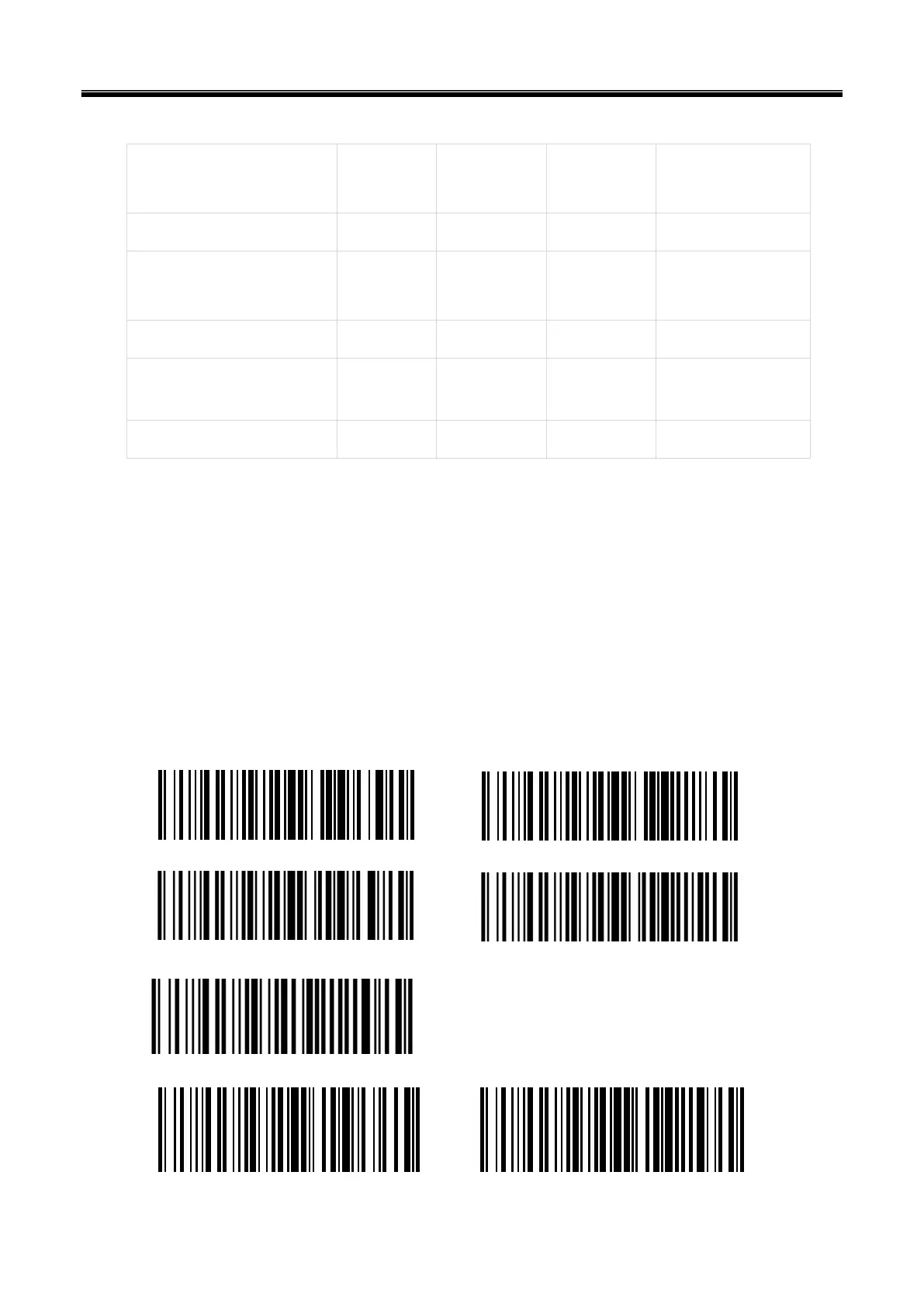
The detailed barcode is set as follows:
Enable prefix 1 Clear prefix 1
Enable prefix 2 Clear prefix 2
Clear all prefix data


Table of Contents

Related product manuals