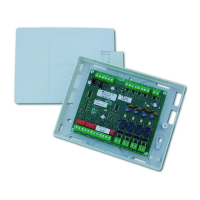
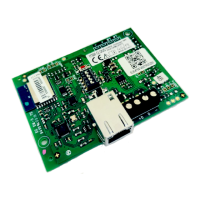
(((ELKRON))) - MP110
5.1 Reader/sector Association
- The reader/sector association allows to provide a reader with the control
of one ormore sectors. Providing no sector means excluding the reader.
1. Enter installer code and press twice key
.
2. Press key
. LCD keyboard show the message “JOIN KEY nn”
where "nn" means the first reader found connected. LED keyboard will
show only the number of the reader under reference.
3. Through keys
1
, select the desired reader. Only the actually
present readers will be proposed. S1,S2,S3 leds will visualize the sectors
to which the reader is associated.
Led ON= sector associated
4. After selecting the reader desired press key
to access the
modification of sector association. To associate sector 1 to reader desired
press key
1
, to associate it to sector 2 press key
2
and so on.
By pressing key
the status of the three sectors will be
complemented.
5. Press
to leave the status of association modification for the reader
under reference and to access the selection of the following reader.
Actions from item 3 will be repeated.
6. By pressing
you leave the procedure and save the modifications
made
If there is no reader, the LED displays
will show the message "_" while LCD
display will show "CONN.NOT
PRESENT". the buzzer sends error
signal and the procedure is left after
about 5s.
The leds of the sectors
associated to the reader
flash while those of the non
enabled sectors are off.
By inserting a key enabled to control three sectors into a reader
enabled to work on only one sector, only the sector on which the
reader is enabled to work will be run; the system behaves exactly as if
a key controlling only one sector had been inserted. The utility of this
function allows to activate/deactivate a specific sector with a simple
manoeuvre and without necessarily starting a partialization cycle.
UTILITY
5.0 INSTALLATOR FUNCTIONS
PROCEDURE ACCESS
INST.
CODE
Opening of Unit – System Maintenance
By digiting the engineer’s code (after its enabling – see par. 4.2), the user has 1 minute to open the unit
without triggering an alarm at the corresponding outputs. In this situation, the tamper alarm is only
memorized. After 1 minute is up, the 24 hour alarm is completely enabled, followed by the closing and
re-opening of the 24 hour protection loop.
2
1
48



 To Next Page