(((ELKRON))) - MP110
6.3 Direct connection
via RS232
• ATTENTION
Before making any connection, make sure that the serial connection port
between the modem and the PC and the modem’s control string are those set
in the configuration menu.
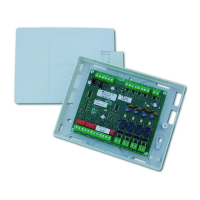
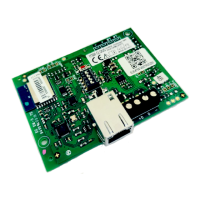
• For an RS232 connection, it is necessary to connect the RSTTTL232 module
to the control unit mother board.
• Cable connections to be performed:
Unit Side PC Side
1 ________DO NOT CONNECT__________1
2 _________________________________ 2
3 _________________________________ 3
4 _________________________________ 4
5 _________________________________ 5
6 _________________________________ 6
7 _________________________________ 7
8 _________________________________ 8
9 _________________________________ 9
Both parts must have a 9-way female connector.
If the PC requires a 25-way connector, use commercially available 25/9 deratings.
ATTENTION
TO ENSURE CORRECT OPERATION, THE CABLE MUST NOT BE LONGER
THAN 10 METERS.
• Select the RS232 Direct option from the System File page, and click on the
“Call” pushbutton.The message “CONNECTED TO SYSTEM” will be dis-
played if connection takes place correctly. Click on the CLOSE pushbutton
to terminate connection; the connection selection option returns to the first
telephone number.
RS232 direct
64



 To Next Page