Need help?
Do you have a question about the Elkron MP110 and is the answer not in the manual?
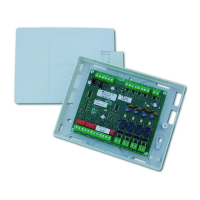
Detailed description of the MP110 control unit's features and capabilities, including zones and outputs.
Features and specifications of the KP100D remote keyboard with LCD display.
Features and specifications of the KP100 remote keyboard with segment display.
Details on the DK2000M reader, its connectivity, and programming.
Information on EP100 parallel and ES100 serial input/output expansion modules.
Description of optional accessories like ILT100, SV108, KV100, and MR02.
Guide for wall-mounting the MP110 in a thermoplastic container.
Guide for wall-mounting the MP110M in a metallic container.
Detailed explanation of the terminal board layout and connection points for wiring.
Overview and coding of system inputs, including expansions and keypads.
Explains different physical connection methods for alarm zones (NC, balanced, double balancing).
Explanation of dip-switch functions for factory parameters, country selection, and input modes.
Describes device functionalities, including READER DK2000M and keypad visualizations.
Explains the function of LEDs and keys on the LCD display keypad for status indication.
Explains the function of LEDs and keys on the segmented display keypad for status indication.
Details on keyboard addressing, display visualization, and tamper settings.
Procedure for adding or eliminating series-connected devices like readers and keypads.
Procedure for restoring the control unit to factory default parameters.
Default input programming for the control unit's zones.
Default input programming for expansion modules.
Default input programming for reader inputs.
Default input programming for keyboard inputs.
Default settings for input/output times, alarm counts, prealarm, masking, and key functions.
Default output programming for control unit and expansion outputs.
Details on access codes, their structure, and user levels.
Table outlining operations accessible by each user level and required codes.
How to view memorized alarms on LCD and segment keypads.
Procedure for viewing open inputs on keypads.
Procedure for viewing excluded inputs on keypads.
Steps to exclude specific inputs from triggering alarms.
Step-by-step guide for storing a new electronic key and associating it with zones.
Procedure for adding a new key to an existing system.
Steps to copy an existing key code to a new key.
How to verify programmed keys, their codes, and associated zones.
Procedure for users to change their own access codes.
How to enable or disable specific user codes and telemonitoring code.
Procedure for enabling/disabling user codes 5, 6, 7, and 8 and their sector associations.
How to associate readers with specific sectors for access control.
Procedure for programming input attributes like burglary, panic, fire, etc.
How to associate inputs with one or more sectors for system logic.
Procedure for programming outputs and associating them with sectors and alarm types.
How to program the LPA output to run specific alarm events.
Setting the delay time for inputs.
Setting the duration for alarm signals.
How to enable or disable the prealarm signal and buzzer.
How to configure the mechanical key for impulsive or level operation.
How to mask the system status from unauthorized personnel.
Configuring alarm counts and lock/bypass functions for open zones.
Setting the timeout for reporting mains power failures.
Details on how burglary, tamper, panic, fire, and zone status events are displayed.
Specific coding and display for various tamper events.
Display codes for system events like arming, disarming, and telemanagement.
Display codes for various failure events like power loss, fuse failures, and low battery.
Minimum hardware and software requirements for PC programming.
Instructions for establishing a direct connection to the system using RS232.
Instructions for establishing a remote connection using a modem.
 General
| Brand | Elkron |
|---|---|
| Model | MP110 |
| Category | Control Unit |
| Language | English |


 To Next Page