(((ELKRON))) - MP110
5.2 Inputs programming
1. Enter installer code.
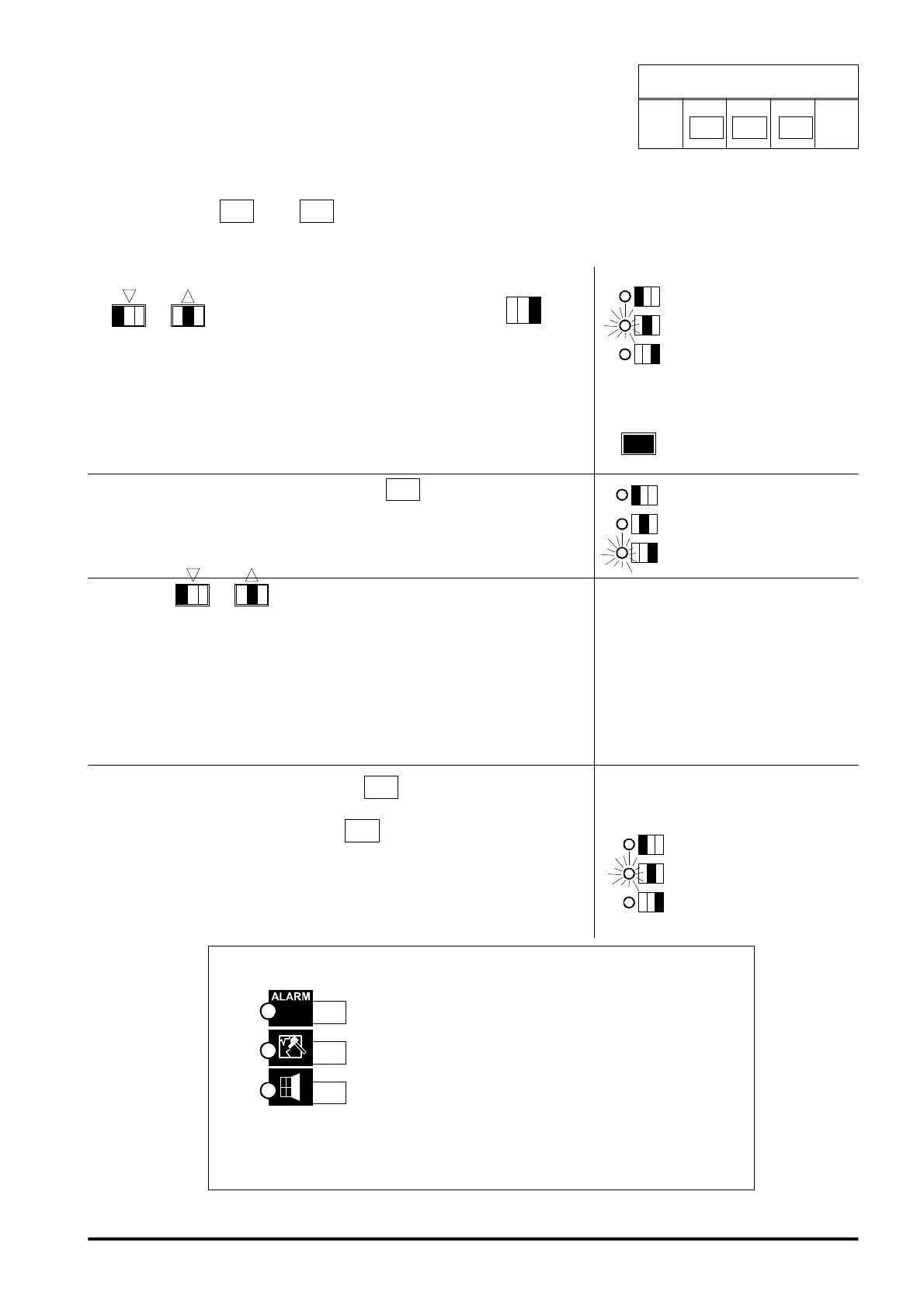
2. Press twice key
+ key
: input 1 programming is visualized.
3. To select and visualize the input to be programmed press keys
1
to select forward or backward or press key
and
enter directly the input number.
LED keyboard shows the flashing input number, while LCD keyboard
shows the message
ZONE= xx BURGLARY
xx_ number of input under reference
BURGLARY = current programming
4. After selecting the input, press key
3
to modify current
programming
5. By keys
1
, one of the following operating modes is
selected :
00 = BURGLARY
01 = TECHNOLOGICAL
02 = FIRE
03 = PANIC SIL (SILENT PANIC)
04 = PANIC SIR (PANIC WITH SIRENS)
6. After selecting the programming, press
3
to confirm selection made.
7. By leaving the procedure with key
, the modifications made are
saved. When leaving by timeout date are left unaltered
In this phase S2 led is on
In this phase procedure
access is visualized by S3
led going on
In this phase S2 led is on
INTRUSION INPUTS ATTRIBUTES PROGRAMMING
led on= delayed input
led off= instant input
led on= LAST OUTPUT function enabled
led on= GONG/CHIME function enabled
PROCEDURE ACCESS
INST.
CODE
3
2
1
2
1
Wherever you are in the input
programming , by pressing key
you go back to input 1
2
1
To enable the function press the corresponding key
"Last exit" (see par.12) function can be enabled only if the related
input is delayed.
49



 To Next Page