(((ELKRON))) - MP110
3.1 Factory parameters
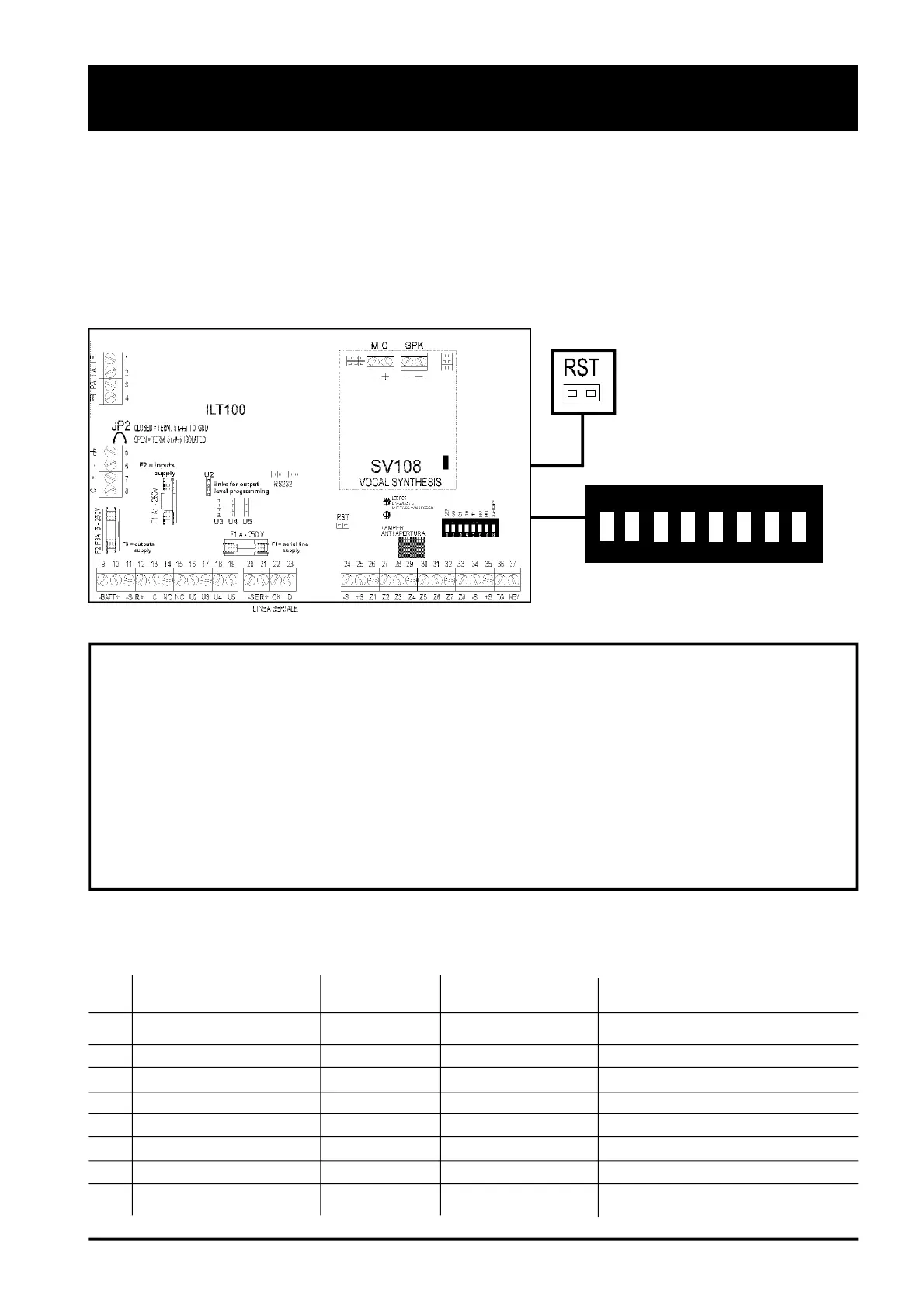
To take the CONTROL UNIT back to factory parameters the following procedure must be carried out:
1. Deactivate CONTROL UNIT (OFF)
2. Position in ON dip switch n.1 (DEF)
3. Shortcircuit for a moment PIN-STRIP RST contacts and wait for a double confirmation BIP from buzzer.
4. Take back to OFF dip switch n.1
1
ON
DEF
CO
C1
NU
IT0
IT1
NU
24H OF
WARNING !
1. The following programmings are not lost when the unit is restored to factory parameters:
- programming of telephone numbers and their type (voice, numerical and remote-control
management)
- association of event to telephone number the key code and its association
- the key code and its association
- date/hour
2. Once the factory parameters have been rest, the CONTROL UNIT automatically goes to ON (Total
activation). To deactivate it is sufficient to enter a valid code . User factory code: 1-11111
3.1.1 Factory parameters: access codes
3.0 SYSTEM RUNNING
ON
N° name Code Associated sectors Enabling
1 MASTER code 111111 1-2-3 YES
2 USER 2 2 22222 1-2-3 NO
3 INSTALLER 3 33333 1-2-3 YES
4 SURVEILLANCE 4 44444 - NO
5 USER 5 5 55555 - NO
6 USER 6 6 66666 - NO
7 USER 7 7 77777 - NO
8 USER 8 8 88888 - NO
22



 To Next Page