Using extension speakers (option)
for
full
stereo effect projection
The GS-800
incorporates
2 speakers
in
its
body
to
perform
stereo
sound
projection
by
itself. But it
is
recommended
to
use a
pair
of
extension speakers
to
obtain
effective
stereo performance.
Handy
extension
speakers ES-1200, ES-1000
and ES-500 are available.
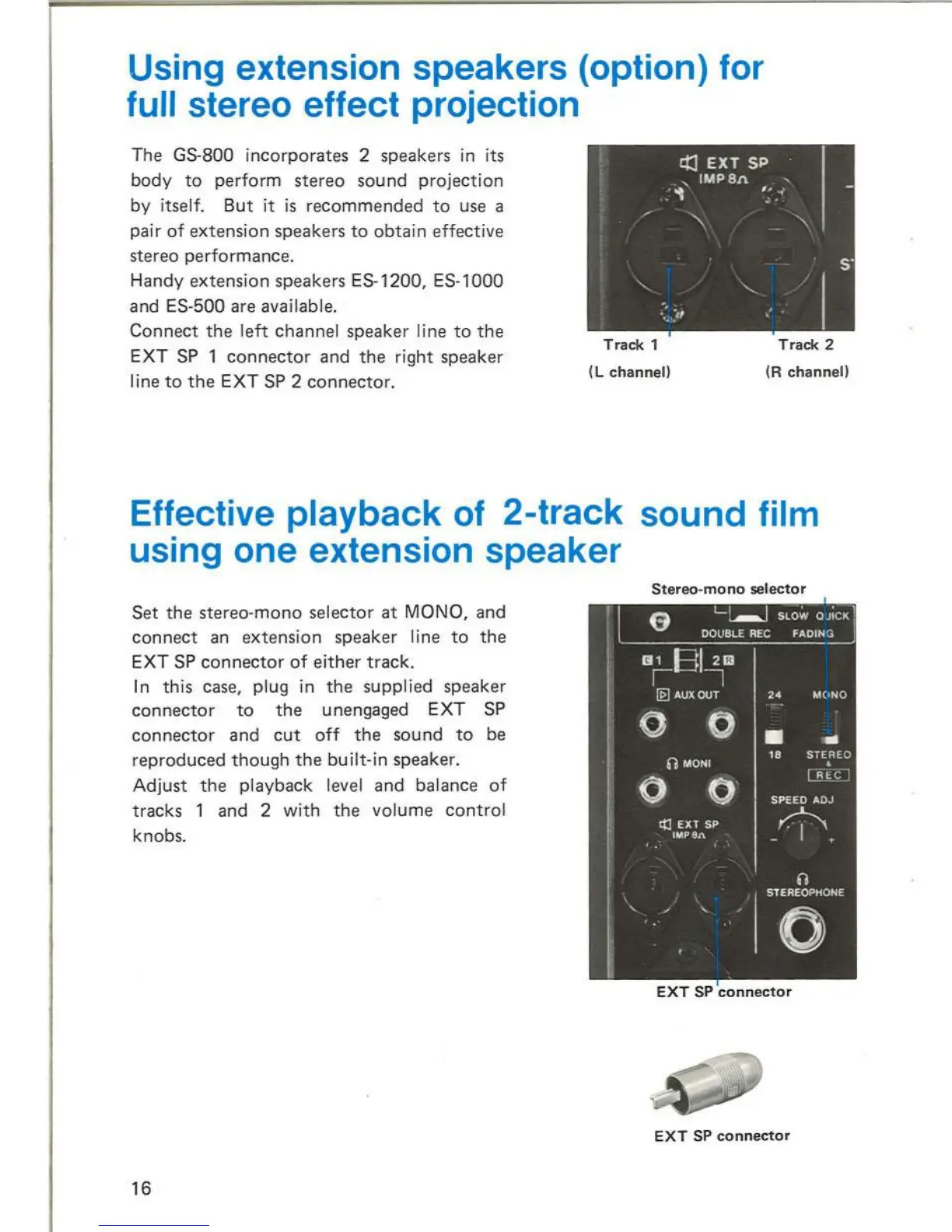
Connect
the
left channel speaker line
to
the
EXT SP 1
connector
and
the
right speaker
line
to
the
EXT SP 2
connector.
Track
1
(L
channell
Track
2
(R
channell
Effective playback
of
2-track sound film
using one extension speaker
Set
the
stereo-mono
selector
at
MONO, and
connect
an extension speaker line
to
the
EXT SP
connector
of
either
track.
In
this case, plug
in
the
supplied speaker
connecto
r
to
the
unengaged EXT SP
connector
and
cut
off
the
sound
to
be
reproduced
though
the
built-in speaker.
Adjust
the
playback level
and
balance
of
tracks 1 and 2 with
the
volume
control
knobs.
16
Stereo-mono
selector
EXT
SP
connector
EXT
SP
connector
MAINTENANCE
AND
CHECK
37



 To Next Page