EasyManua.ls Logo

Elmo GS-800 - Sound Addition and Transfer

Elmo GS-800
56 pages
Print Icon
To Next Page IconTo Next Page
To Previous Page IconTo Previous Page
Loading...
Adding sound
to
simultaneously
recorded film
With the sound camera, sound
is
simultaneously
re
corded
on
track
1.
Add
your
BGM/
narration/sound
effects on
track
2
to
accompany
the
original sound
on
track
1.
Note:
When
adding
sound
with
double
recording
facility,
see
"Double
recording"
on
page 31.
o
Use
jacks and
contr
ol knobs
for
track
2 .
It
is
recommended
to
monitor
the
simultaneously
recorded sound
on
track
1
through
the
stereo headphone
or
supplied earphone
while
record-
ing sound on
track
2.
Note:
Adjust
the
monitoring
level
of
simultaneously
recorded
sound
on
track
1
with
the
volume
control
for
track
1.
Track
to
track sound transfer
28
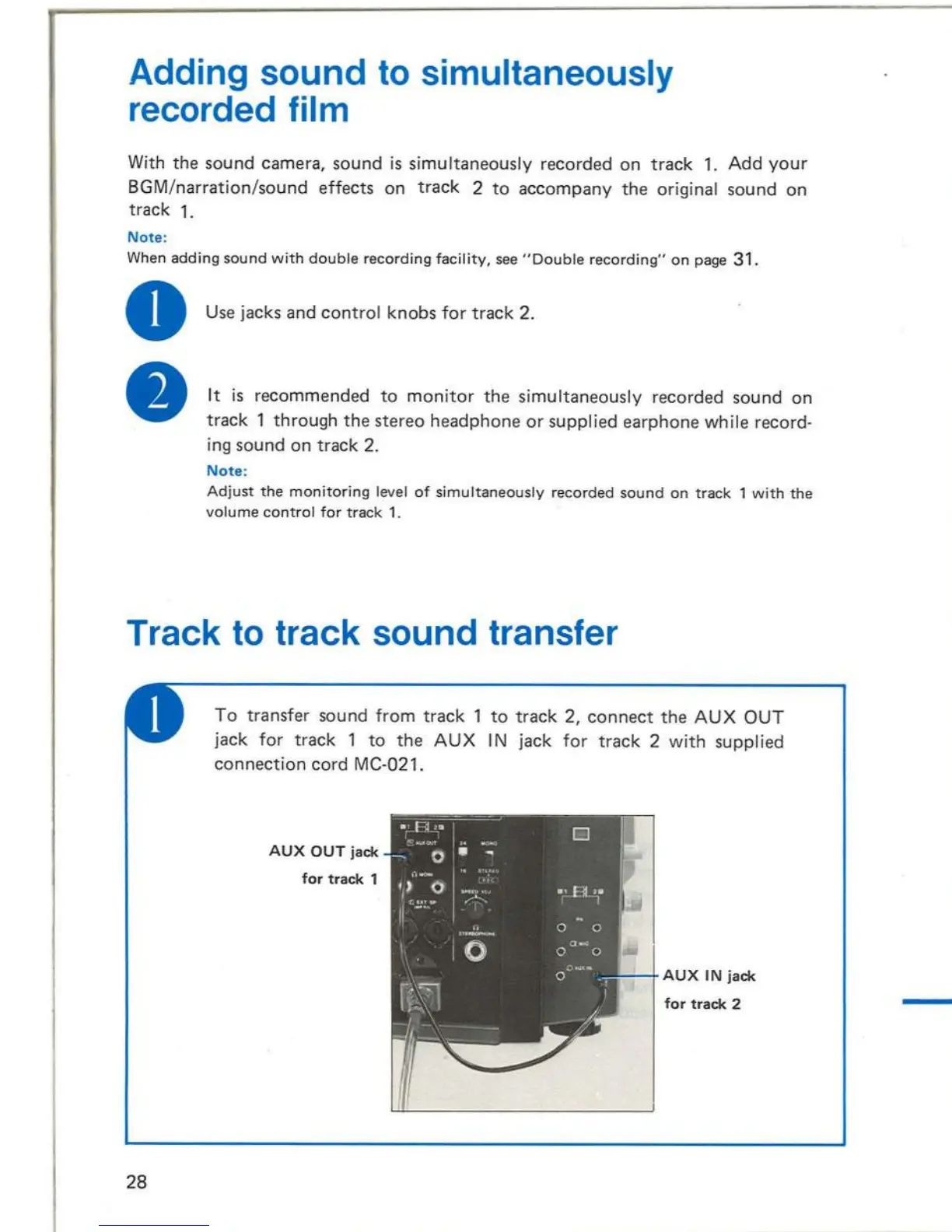
To
transfer sound
from
track
1
to
track
2,
connect
the
AUX
OUT
ja
ck
for
track
1
to
the
AUX
I N ja
ck
for
track
2
with
supplied
co
nnection
cord
MC-021 .
AUX
OUT
jack
for
track
1
AUX
IN
jack
for
track
2
While
depressing
the
recording
button,
advance
the
motor
switch
clockwise
to
"(]~,,
through
""F".
Recording
button
Track
1
Track
2
REe
o 0
.'
-:-
, . ,oe . . ' .
tI;>
II
. . . .
('
,,,
't,·
~
TONE
••
' .
OFF
;
f'
0
..
....
. ,
o 10
&3
' S
IL
E
NT
Iw
i
Q
C:
••••
Motor
switch
Start
the
tape recorder
just
when
the
digit
number
of
the
film
counter
comes
to
0000,
and recording
is
set up.
Stopp
ing the
projector
releases
the recording.
To
discontinue
the
recording
withough
stopping
the
projector,
depress
the
spot
recording
button.
Spot
recording
button
25

Related product manuals