EasyManua.ls Logo

Elmo GS-800 - Accessories

Elmo GS-800
56 pages
Print Icon
To Next Page IconTo Next Page
To Previous Page IconTo Previous Page
Loading...
Depress
the
auto
thread
lever
until
it locks.
Insert
the
film
leader
into
the
thread
slot
as
indicated
by
the
red arrow.
Note:
1.
The
film
automatically
threads
and is
attached
to
the
take-up
reel
through
the
green
fi
1m
gu ide a
few
seconds
after
inserting
.
2.
If
the
take-up
reel
fails
to
catch
the
film,
stop
the
projector
once and
wind
the
leader
round
the
take-up
reel
manually
.
Be sure
to
use
the
properly
curled
leader
for
sure
threading.
x
Advance
the
motor
switch
further
to
"C}"
when
the
film
leader
is
wound
round
the
take-up
reel.
thread
lever
Thread
slot
lamp
OFF
, 0
~F
:,"'0
Accessories
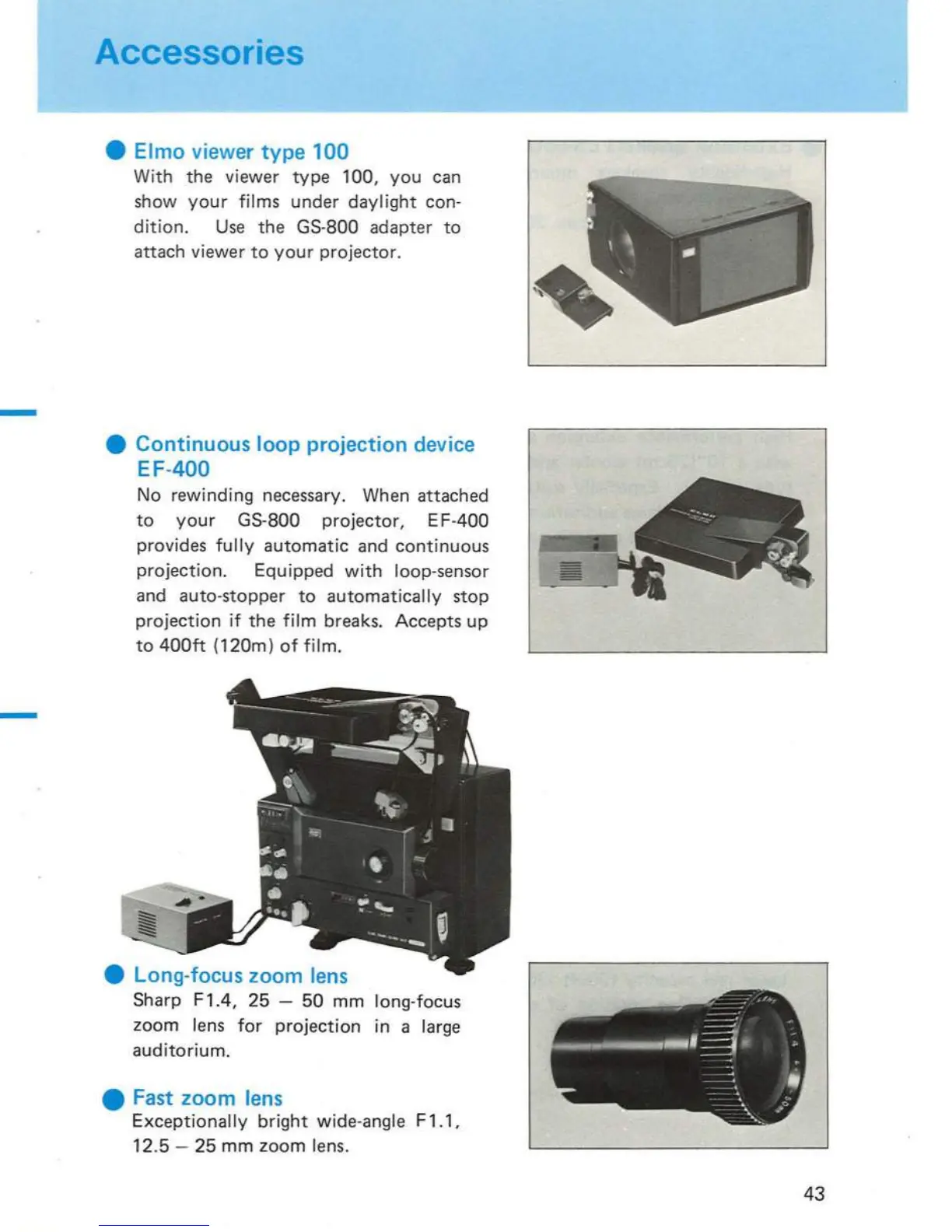
Elmo viewer type
100
With
the viewer
type
100,
you
can
show
your
films
under
dayl
ig
ht
con-
dition.
Use
the
GS-800 adapter
to
attach viewer
to
your
projector.
Continuous loop projection device
EF-400
No
rewinding
necessary. When attached
to
your
GS-800
projector,
EF-400
provides
fully
automatic
and
continuous
projection.
Equipped
with
loop-sensor
and
auto-stopper
to
automatically
stop
projection
if
the
film
breaks. Accepts
up
to
400ft
(120m)
of
film.
Long-focus zoom
lens
Sharp F 1.4,
25
-
50
mm
long-focus
zoom
lens
for
projection
in a large
auditorium
.
Fast zoom
lens
Exceptionally
bright
wide-angle F 1.1,
12.5
-
25
mm
zoom
lens.
10
43

Related product manuals