EasyManua.ls Logo

Elmo GS-800 - Changing Projection Lens; Storing

Elmo GS-800
56 pages
Print Icon
To Next Page IconTo Next Page
To Previous Page IconTo Previous Page
Loading...
12
Adjust
the
playback
level.
A.
Reproduction
of
stereo magnetic
sound
film
Adjust
the
playback level
of
the
left
channel
with
volume
control
knob
for
the
track
1,
and adjust
the
level
of
the
right
channel
with
the volume
knob
for
the
track
2.
B.
Reproduction
of
2·track
mag-
netic sound
film
Volume
control
knob
'0-:-
6
VOL
.-:-
.
'2
8
'2
8
. . . .
o 10 0
10
Track
1
~
TONE
4--:_
.:;
Track
2
Balance
control
of
the
playback levels
of
track
1 and 2
is
possible
by
volume
adjustment
of
each track.
In
case
the
stereo-mono selector
is
set at
MONO,
sound
from
track
1 and 2
is
reproduced
as
mixed
sound
through
both
speaker
for
track
1 and
2.
I n
case
the
selector
is
set at
STE R
EO, sound
on
track
1
is
reproduced
through
the
left
channel speaker and
track
2 sound
is
through
the
right
channel
speaker.
C.
Reproduction
of
optical
or
ordinary
single
track
magnetic
film
Sound level
is
controlled
with
the
volume
control
knob
for
the
track
1.
Turn
the
volume
control
knob
for
the
track
2
fully
counter
clockwise. I n
case
the
stereo-
mono
selector
is
set
at
Stereo, sound
is
reproduced
through
the
speaker
for
the
left
channel. In
ca
se set
at
MONO,
sound
is
through
both
speakers.
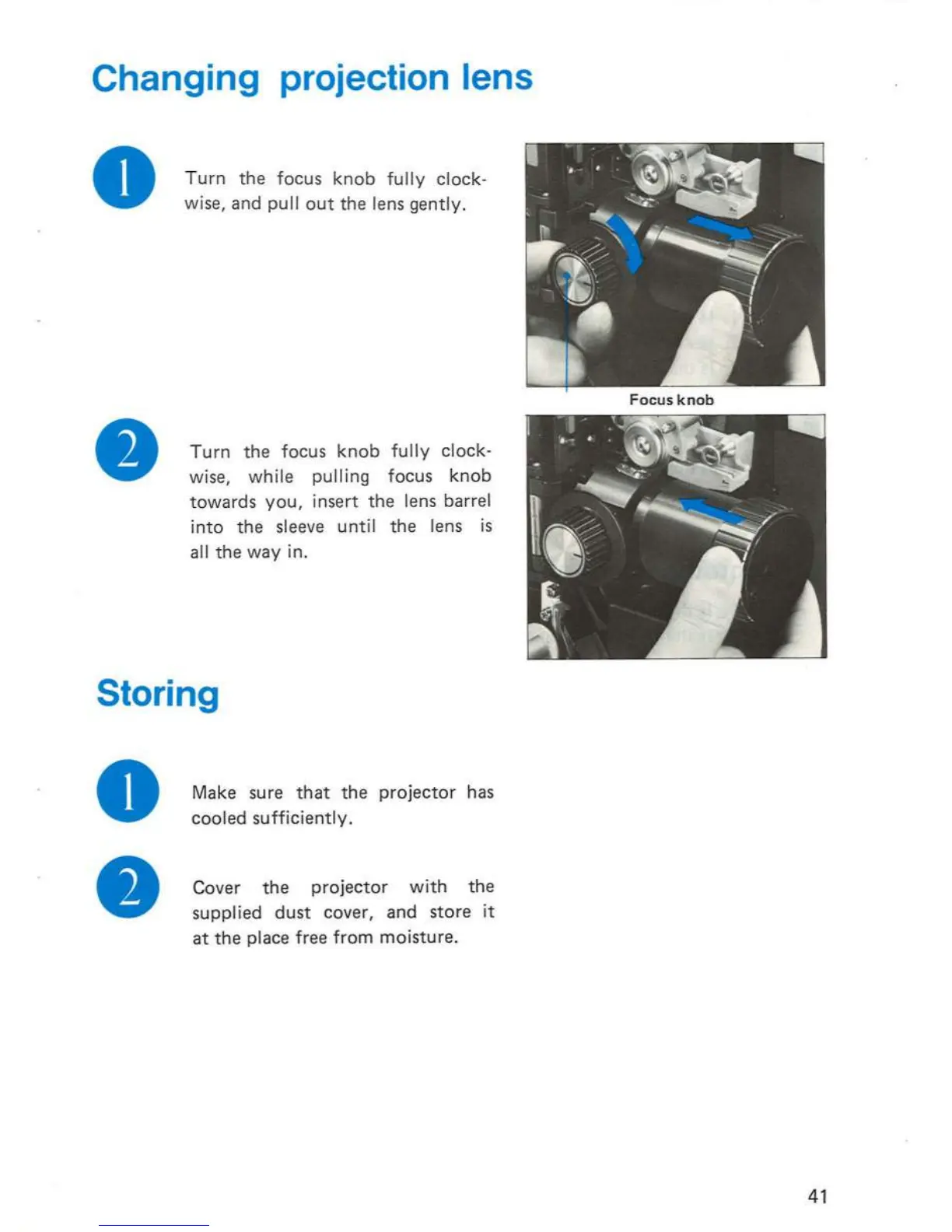
Changing projection lens
o
Turn
the
focus
knob
fully
clock-
wise,
and
pull
out
the lens
gently
.
Turn
the focus
knob
fully
clock-
wise,
while
pulling
focus
knob
towards
you,
insert the lens barrel
into
the
sleeve
until
the lens
is
all the
way
in.
Storing
o
Make sure
that
the
projector
has
cooled
sufficiently
.
Cover the
projector
with
the
supplied
dust
cover, and store
it
at
the
place free
from
moisture
.
41

Related product manuals