EasyManua.ls Logo

Elmo GS-800 - Sound Transfer from Simultaneously Recorded Stereo Tape to Sound Tracks

Elmo GS-800
56 pages
Print Icon
To Next Page IconTo Next Page
To Previous Page IconTo Previous Page
Loading...
Removing the film
from
the film path
o
18
Stop
the
projector
by
return-
ing
the
motor
switch back
to
"
OFF".
Open
the
front
cover.
Front
cover
Slack
off
the
film
by
turning
the
take-up reel counterclock-
wise.
Pro
j
ection
lens
barrel
Swing
the
projection lens
away from
the
projector,
holding
the
lens barrel.
Remove
the
film from
the
second
sprocket
by
pressing
the
shoe downward.
Remove
the
film from
the
first
sprocket
by
pressing
the
shoe upward.
Remove
the
film from
the
sound
head
part
.
First
sprocket
shoe
....
Second
sprocket
shoe
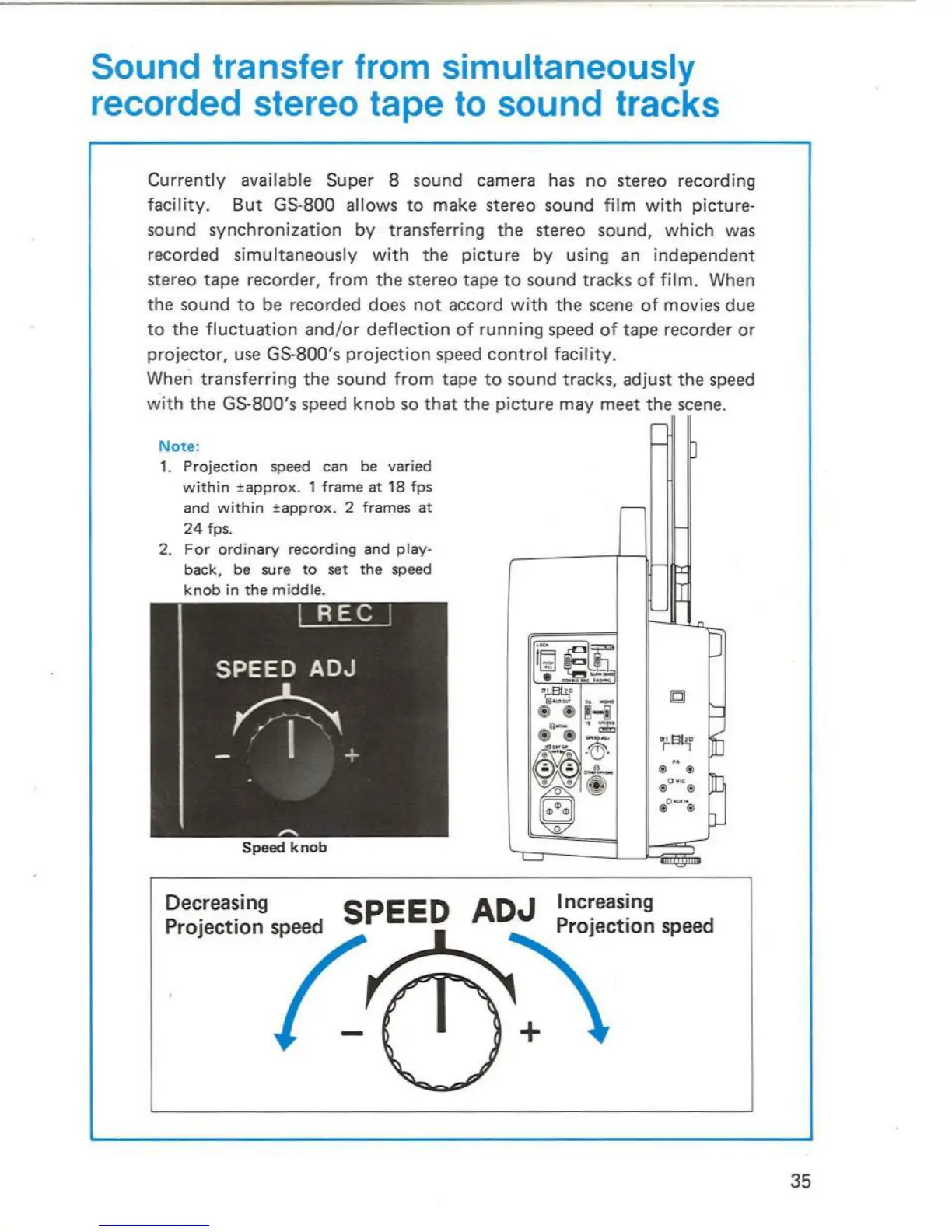
Sound transfer from simultaneously
recorded stereo tape
to
sound tracks
Currently available
Super
8
sound
camera has
no
stereo
recording
facility.
But
GS-800 allows
to
make
stereo
sound
film
with
picture-
sound
synchronization
by transferring
the
stereo
sound, which was
recorded
simultaneously with
the
picture
by using an
independent
stereo
tape
recorder, from
the
stereo
tape
to
sound
tracks
of
film. When
the
sound
to
be recorded does
not
accord with
the
scene
of
movies
due
to
the
fluctuation
and
/or
deflection
of
running speed
of
tape
recorder
or
projector, use GS-800's
projection
speed
control
facility.
When transferring
the
sound
from
tape
to
sound
tracks, adjust
the
speed
with
the
GS-800's speed
knob
so
that
the
picture
may
meet
the
scene.
Note:
1.
Projection
speed can be
varied
within
±
appro
x.
1
frame
at
18
fps
and
within
±
appro
x . 2
frames
at
24
fps
.
2.
For
ordinary
recording
and
play-
back,
be
su
re
to
set
the
speed
knob
in
the
middle
.
.----~
Speed
knob
Decreasing
EED
ADJ Increasing
35

Related product manuals