EasyManua.ls Logo

Elmo GS-800 - Page 36

Elmo GS-800
56 pages
Print Icon
To Next Page IconTo Next Page
To Previous Page IconTo Previous Page
Loading...
34
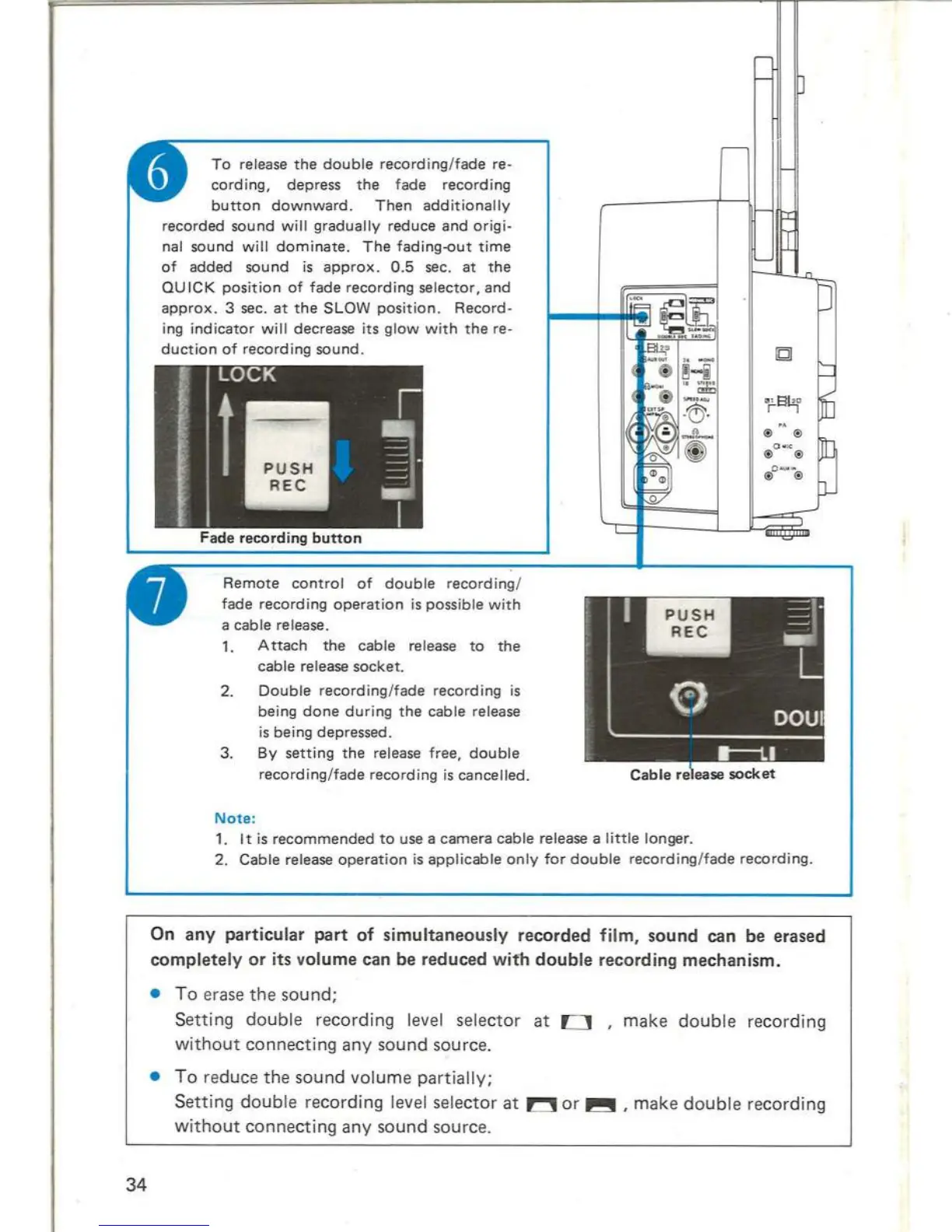
To
release
the
double
record
ing/
fade
re-
cording,
depress
the
fade
recording
button
downward.
Then
additionally
recorded
sound
will
gradually
reduce
and
orig
i-
nal sound
will
dominate
.
The
fading-out
time
of
added
sound
is
approx.
0.5
sec.
at
the
QUICK
position
of
fade
recording
selector,
and
approx.
3 sec.
at
the
SLOW
posi
tion
.
Record-
ing
indicator
wi
ll decrease
its
glow
with
the
re-
duction
of
recording
sound
.
Remote
control
of
double
recording
/
fade
record
i
ng
operation
is possible
with
a cable re lease.
1.
Attach
the
cable release
to
the
cable release
socket
.
2.
Double
recording
/
fade
recording
is
being
done
during
the
cable release
is
being depressed.
3.
By
setting
the
release
free,
double
recording
/
fade
recording
is
cancelled.
Note:
1.
It is
recommended
to
use a
camera
cable release a
little
longer.
2.
Cable
release
ope
r
at
i
on
is
applicab
le
on
ly
for
double
recording
/
fade
r
ecording.
On any particular part of simultaneously recorded
film,
sound
can
be
erased
completely or
its
volume
can
be
reduced witn double recording mechanism .
To e
rase
the
sound;
Setting
double
recording level selector at 0 , make
double
recording
without
connecting
any
sound source .
To
re
duce the sound
volume
pa
r
tially;
Setting
doub
le recording level selector at
~
or
~
, make
doub
le recording
without
connecting
any
sound source.
RECORDING
19

Related product manuals