EasyManua.ls Logo

Elmo GS-800 - Spot Recording

Elmo GS-800
56 pages
Print Icon
To Next Page IconTo Next Page
To Previous Page IconTo Previous Page
Loading...
24
Set
up
the
start
position
of
the
tape.
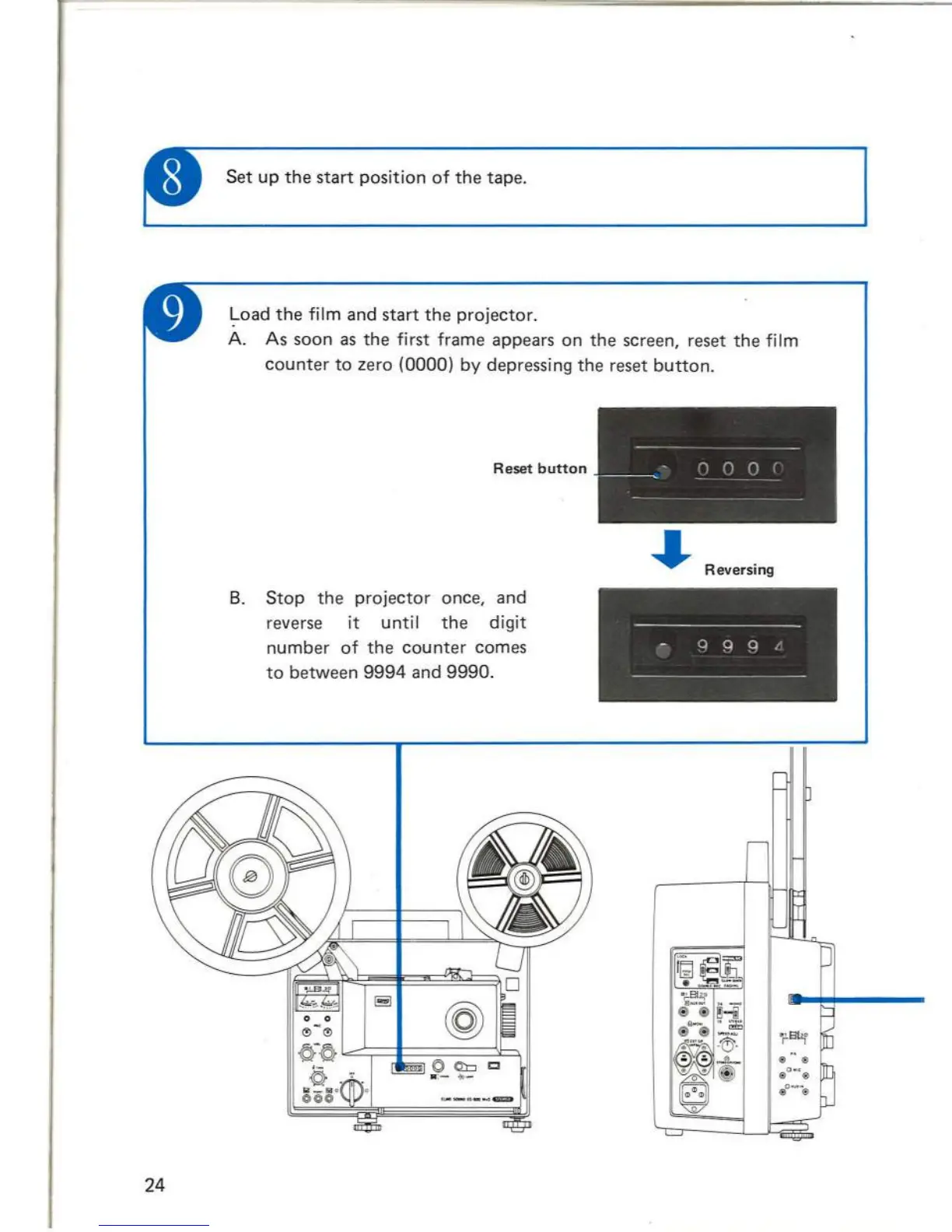
~oad
the
film and
start
the
projector.
A. As soon as
the
first frame appears on
the
screen, reset
the
film
counter
to
zero (0000) by depressing
the
reset
button.
Reset
button
B.
Stop
the
projector
once, and
reverse it until
the
digit
number
of
the
counter
comes
to
between
9994
and
9990.
-
--
--~
-
- n 0 0 r
~~~
-
--
- - - - - -
~
Reversing
--
--------
----
---
- q q q /
--
--------------
-
Start
the
projector
and adjust
the
AUX OUT level
of
track 1 with
the
volume
control
knob
of
track 1 so
that
the
level
meter
needle stays
around
0 (100%).
S
et
the
controls
for track 2
to
the
recording, and
start
the
projector
.
Adjust
the
recording level
of
track
2 with
the
volume
control
knob
for
track
2, and transfer sound from
track
1
to
track 2.
Note
:
1. When
the
volume
control
knob
for
track
2 is
turned
too
far
,
undesirable
self
oscillation
may
occur.
(I n
this
case,
level
meter
swings
extremely
to
the
RH
end
of
meter
range.)
Adjust
the
volume
control
so
that
the
se
lf oscil-
lation
will
not
occur.
2.
Monitoring
the
sound
being
reproduced
from
track
1 and
being
recorded
on
track
2 is
possible
.
Volume
control
knob
for
track
1
Volume
control
knob
for
track
2 '
29

Related product manuals