EasyManua.ls Logo

Elmo GS-800 - Page 32

Elmo GS-800
56 pages
Print Icon
To Next Page IconTo Next Page
To Previous Page IconTo Previous Page
Loading...
30
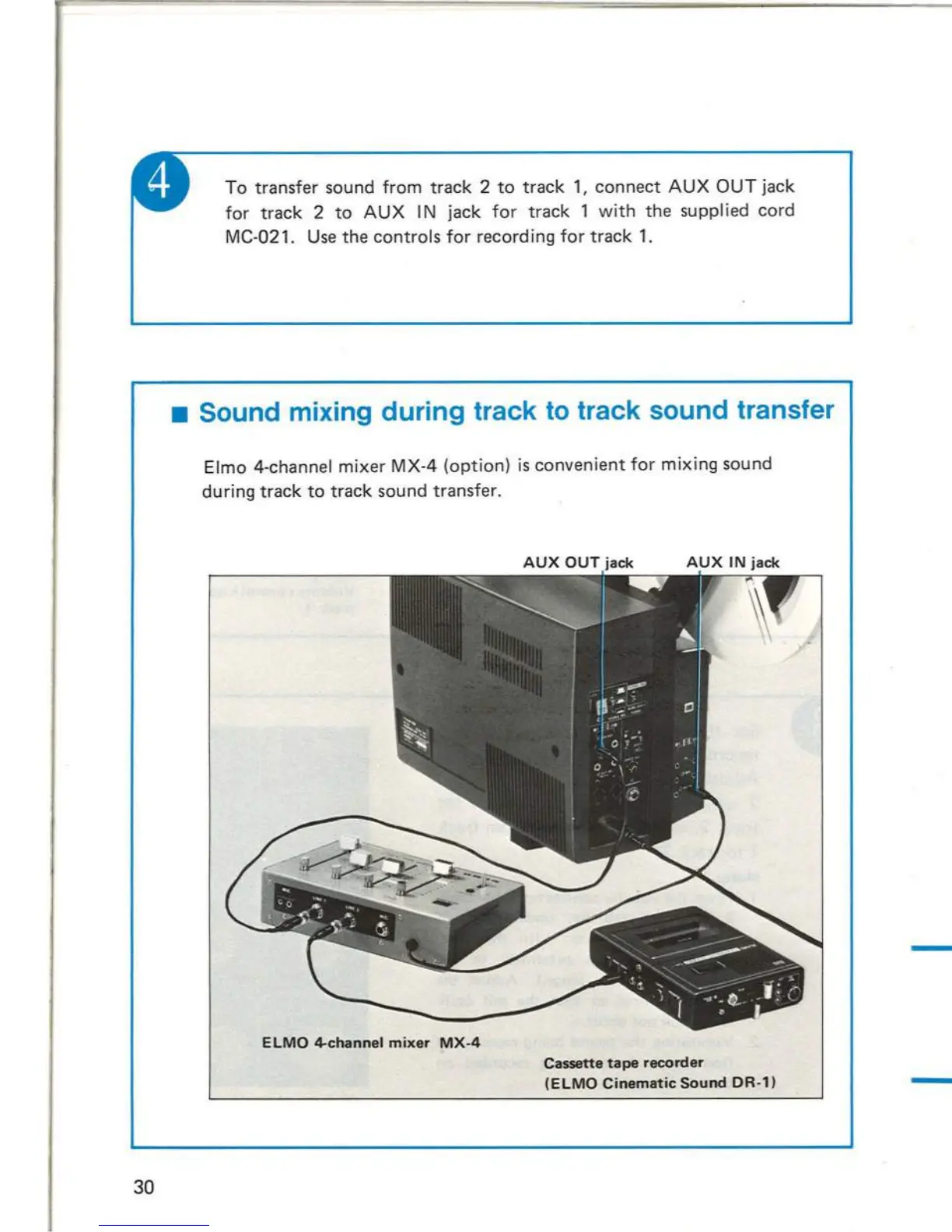
To
transfer sound
from
track
2
to
track
1,
connect
AUX
OUT
jack
for
t rack 2
to
AUX
I N jack
for
track
1
with
the
supplied cord
MC-021_
Use
the
controls
for
recording
for
track
L
Sound mixing during track
to
track sound transfer
Elmo
4-channel
mixer
MX-4
(option)
is
convenient
for
mixing
sound
during
track
to
track
sound transfer.
ELMO
4-channel
mixer
MX-4
Cassette
tape
recorder
(ELMO
Cinematic
Sound
OR-1)
A stereo headphone
is
recommend-
ed
for
monitor
purpose_
(Appl
icable impedance: 8
or
16
ohms)
Plug
the
STEREO
GS-800_
headphone
to
the
PHONE
jack
of
the
When using the supplied earphone,
plug
it
to
the
monitor
jack .
Stereo
headphone
jack
23

Related product manuals