EasyManua.ls Logo

Elmo GS-800 - Page 9

Elmo GS-800
56 pages
Print Icon
To Next Page IconTo Next Page
To Previous Page IconTo Previous Page
Loading...
Accessory cords
Code
No
.
Specif
i
cation
s
MC-DOl
a::::e=:::==
..
..
........
=e=:J:=
1.5m
3.5
<1>
3.5
<1>
MC-
002
~
......
~
1.
5m
MC
-
D0
3 QELJt=c
.
=c=J=
"
1
.5m
0
3.5
<1>
u
c
eC>
E=F
....
0
......
. ==:::::!:J:=
.
;:;
MC-
004
eC>
/
u
'"
c
1.5m
c
cl
ip
0
()
MC-
006
~l=
1.
5m
.....
==:::=::::::J=
3.5
<1>
MC-D09
==CJ/ID)!3=
1.0m
..
=CJ1!IIICF:o
3.5
<1>
3.5
<1>
MC
-
Ol0
~
....
.
..............
.
..
....
..
::flliIICFo
3.5
<1>
GREy3
.5
<1>
MP-OOl
3.5
<1>
ac=C[p
(Female)
g
a.
MP-
002
6
<1>
==a::=IJ
3.5
<1>
'"
"
«
(Female)
MP-D04
3.5
<1>
~
Pin
j
ack
...
={=::J
'"
~
~
SC·OO2
11111"
••••
10cm
"'''
Q)
...
0.0
enu
(Female)
46
Re
mar
ks
1.5
m
I
1.5 m
1.
5m
1.5 m
1.5m
1.0mm
From
earphone
or
monitor
jack
to
AUX
IN
input
From
earphone
or
monitor
jack
to
MIC
input
10cm
For
ST-800,
ST-1200D,
ST-1200HD,
GS-1200
10n
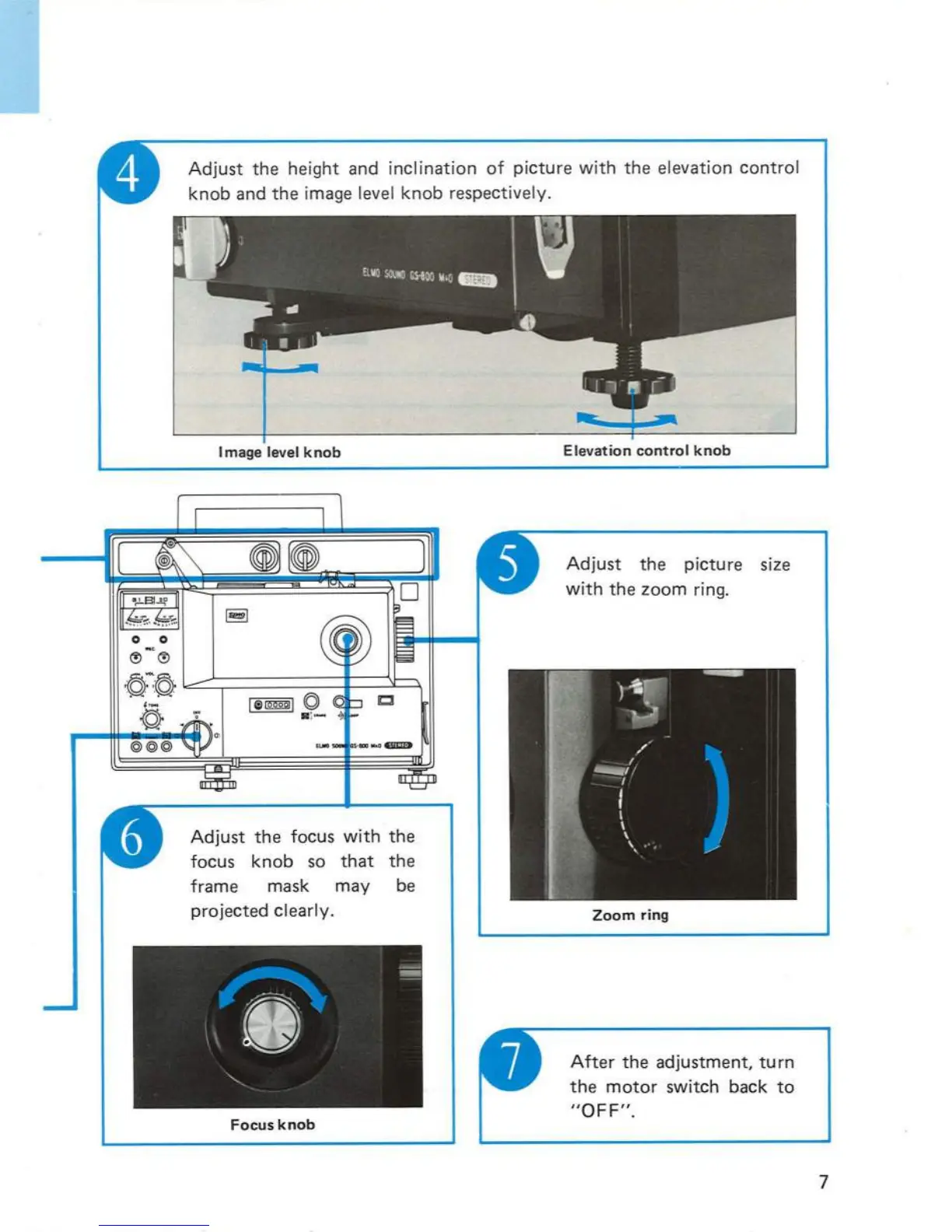
Adjust
the
height
and
inclination
of
pi
cture
with
the
elevation
control
knob
and
the
image level
knob
respectively .
Adjust
the
focus
with
the
focus
knob
so
that
the
frame mask may be
projected
clearly.
Focus
knob
Adjust
the
picture size
with
the
zoom
ring.
Zoom
ring
After
the
adjustment,
turn
the
motor
switch back
to
"OFF".
7

Related product manuals