The possible values of OL[N] are outlined in the following table.
Command Value Active Level When Active . . .
OL[N]=0 Low Output serves as general purpose.
OL[N]=1 High Output serves as general purpose.
OL[N]=2 Low AOK: drive ready for use.
OL[N]=3 High AOK: drive ready for use.
OL[N]=4 Low Brake feature is active.
OL[N]=5 High Reserved
OL[N]=6 Low Motor enable/disable indication
OL[N]=7 High Motor enable/disable indication
Table 3-35: Possible Values for OL[N]
Notes:
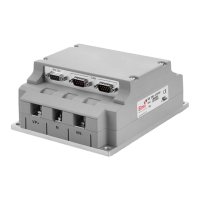
The number of outputs in each type of
SimplIQ drive differs. Nevertheless
there will be no error indication when setting an output that does not
physically exists in the drive. For example the Harmonica
drive will receive
the command OL[6]=3 with no error. As output #6 does not exist in the
Harmonica
no AOK indication can be retrieved from the drive.
Since the Output Compare output is “hard wired” to physical digital output
#1, any configurations of this output (OL[1]) are ignored when the feature is
active.
Attributes: Type: Parameter, Integer, Bit-field
Process: Yes
Assignment: Yes
Scope: Program, RS-232, CANopen
Restrictions: None
Default values: 0, Non-volatile
Range: According to basic logic table
Index range: [1, 6]
Unit modes: All
Activation: Immediate
See also:
OB[N], OP, BP[N], MO, OC
SimplIQ Command Reference Manual Alphabetical Listing
MAN-SIMCR (Ver. 4.5)
3-104


 To Next Page