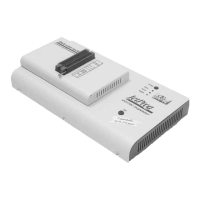
BeeProg
Connecting BeeProg to the PC
Using LPT port
Switch off PC and programmer. Insert the communication
cable included with your BeeProg programmer package to a
free printer port on your PC. If your computer is equipped with
only one printer port, substitute the programmer cable for the
printer cable. Connect the opposite cable end to the
programmer. Screw on both connectors to counter-connectors.
This is very important. It may be uncomfortable to switch
between printer cable and programmer cable, though it is not
recommended to operate the BeeProg programmer through a
mechanical printer switch. Use of an electronic printer switch is
impossible. But you can install a second multi-I/O in your
computer, thus obtaining a supplementary printer port, says
LPT2. So your printer may remain on LPT1 while the
programmer on LPT2.
Switch on the PC.
Connect the mains connector of the power supply to a mains
plug, and then connect the mini-DIN connector to the
programmer's connector labeled "15VDC". At this time all 'work
result' LEDs (and 'POWER' LED) light up successive and then
switch off. Once the POWER LED lights with low brightness
then the BeeProg programmer is ready to run.
Next run the control program for BeeProg.
Caution! If you don't want to switch off your PC when
connecting the BeeProg, proceed as follows:
• When connecting the programmer to the PC: FIRST insert
the communications cable and THEN the power-supply
connector.
• When disconnecting the programmer from the PC: FIRST
disconnect the power-supply connector and THEN the
communication cable.
From BeeProg's point of view the connecting and
disconnecting sequence is irrelevant. Protection circuits on all
programmer inputs keep it safe. But think of your PC please.
Using USB port
In this case, order of connecting USB cable and power supply
to programmer is irrelevant.
31


 To Next Page