ELNEC s. r. o.
Caution! If you don't want to switch off your PC when
connecting the T51prog, proceed as follows:
• When connecting the programmer to the PC: FIRST insert
the communications cable and THEN the power-supply
connector.
• When disconnecting the programmer from the PC: FIRST
disconnect the power-supply connector and THEN the
communication cable.
Problems related to the T51prog
PC
interconnection, and their removing
If you have any problems with T51prog PC
interconnection, see section Common notes please.
Manipulation with the programmed
device
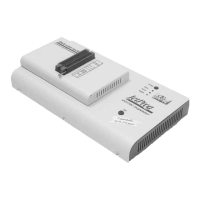
After selection of desired device for your work, you can insert
into the open ZIF socket (the lever is up) and close socket (the
lever is down). The correct orientation of the programmed
device in ZIF socket is shown on the picture near ZIF socket
on the programmer's cover. The programmed device is
necessary to insert into the socket also to remove from the
socket when LED BUSY light off.
Warning: T51prog programmer hasn’t protection devices,
which protect the content of programmed device against critical
situations, for example power failures and PC failure
(interrupted cable...). Moreover, a device is usually destroyed
in the programming mode due to forced interruption of the
control program run (Reset or switching the computer off) due
to removing the connecting cable, or unplugging the
programmed device from the ZIF socket. Incorrectly placed
device in the ZIF socket can cause its damage or destruction.
In-System serial programming by
T51prog
For general definition, recommendation and direction about
ISP see section Common notes / ISP please.
80


 To Next Page