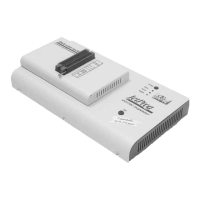
PIKprog+
improves programming yield, and guarantees long data
retention.
PIKprog+ programmer is driven by an easy-to-use control
program with pull-down menu, hot keys and on-line help.
Selecting of device is performed by its class, by manufacturer
or simply by typing a fragment of vendor name and/or part
number.
Standard device-related commands (read, blank check,
program, verify, erase) are boosted by some test functions
(insertion test, signature-byte check), and some special
functions (autoincrement).
All known data formats are supported. Automatic file format
detection and conversion during load of file.
The rich-featured autoincrement function enables to assign
individual serial numbers to each programmed device - or
simply increments a serial number, or the function enables to
read serial numbers or any programmed device identification
signatures from a file.
Various socket converters are available to handle device in
PLCC, SOIC and other packages.
Connecting PIKprog+ programmer
to PC
Switch off the PC and programmer. Insert the connection
cable, included in the PIKprog+ programmer delivery, to the
free printer port of PC. If your computer is equipped with only
one printer port, substitute the programmer cable for the printer
cable. Connect the opposite cable end to the programmer.
Screw on both connectors to counter connectors. This is very
important mainly for the connector to programmer. Though
replacing the printer cable by the programmer cable is
uncomfortable, it is not recommended to operate the PIKprog+
programmer through a mechanical printer switch. Use of an
electronic printer switch isn't possible.
Connect the mains connector of the power supply (or wall-plug
power supply self) to a mains plug, connect the connector to
the appropriate programmer's connector. Then, on the
programmer lights up LED POWER and the programmer
PIKprog+ is ready to run. Next switch on the PC and run the
control program.
Caution! If you don't want to switch off your PC when
connecting the PIKprog+, proceed as follows:
93


 To Next Page