EasyManua.ls Logo

Eloma BACKMASTER EB 30 - Managing Program(S); Save Program(S) Screen

Eloma BACKMASTER EB 30
76 pages
Print Icon
To Next Page IconTo Next Page
To Previous Page IconTo Previous Page
Loading...
Managing program(s)
38
6 MANAGING PROGRAM(S)
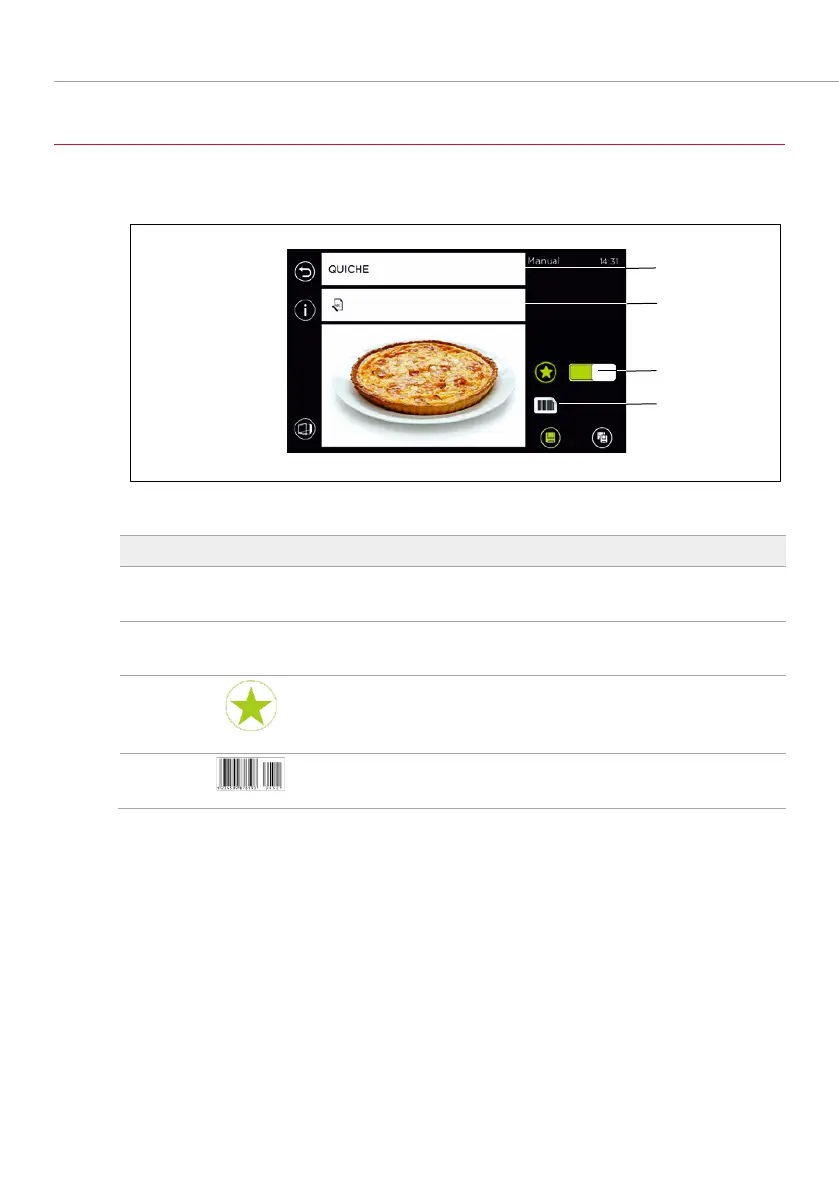
6.1 SAVE PROGRAM(S) SCREEN
Fig. 18: Saving a new program
Item
Symbol
Designation/function
1 Quiche
Program name
field
Enter the program name using the keypad.
2 12345
Numerical program
field
Enter the program no. using the keypad.
3
Favourites
field
Adds to favourites or removes from favourites
using the slider switch.
4
Barcode
field
Outputs the program as a barcode.
Tab. 8: Saving a new program

1
2
3
4

Table of Contents

Related product manuals