Control system structure and operation
35
5.3 GENERATING, SELECTING AND EDITING PROGRAM STEPS
5.3.1 GENERATING PROGRAM STEPS
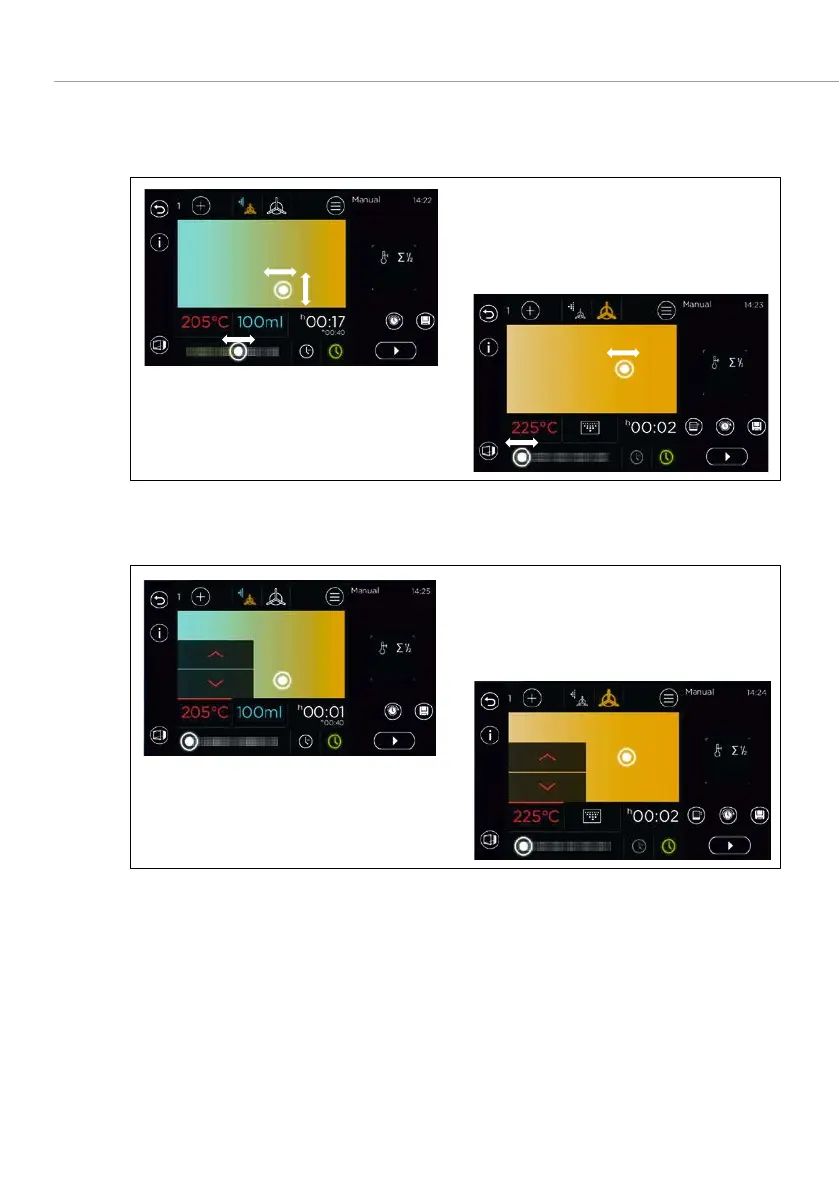
Fig. 15: Selection of temperature, steam injection, baking time and off time using
Climatic®MT
screen
Fig. 16: Selection of temperature, steam injection, baking time and off time using
keys
Enter and set the desired temperature, steam quantity, baking time and off
time using Climatic®
MT
by sliding the control or using the
keys by
and selecting the parameters.
The exhaust air flap is set to open or closed using the additional functions.
The
sensor key is activated. –
Once the target temperature has been reached, an acoustic signal sounds
and preheating is stopped.



 To Next Page