20
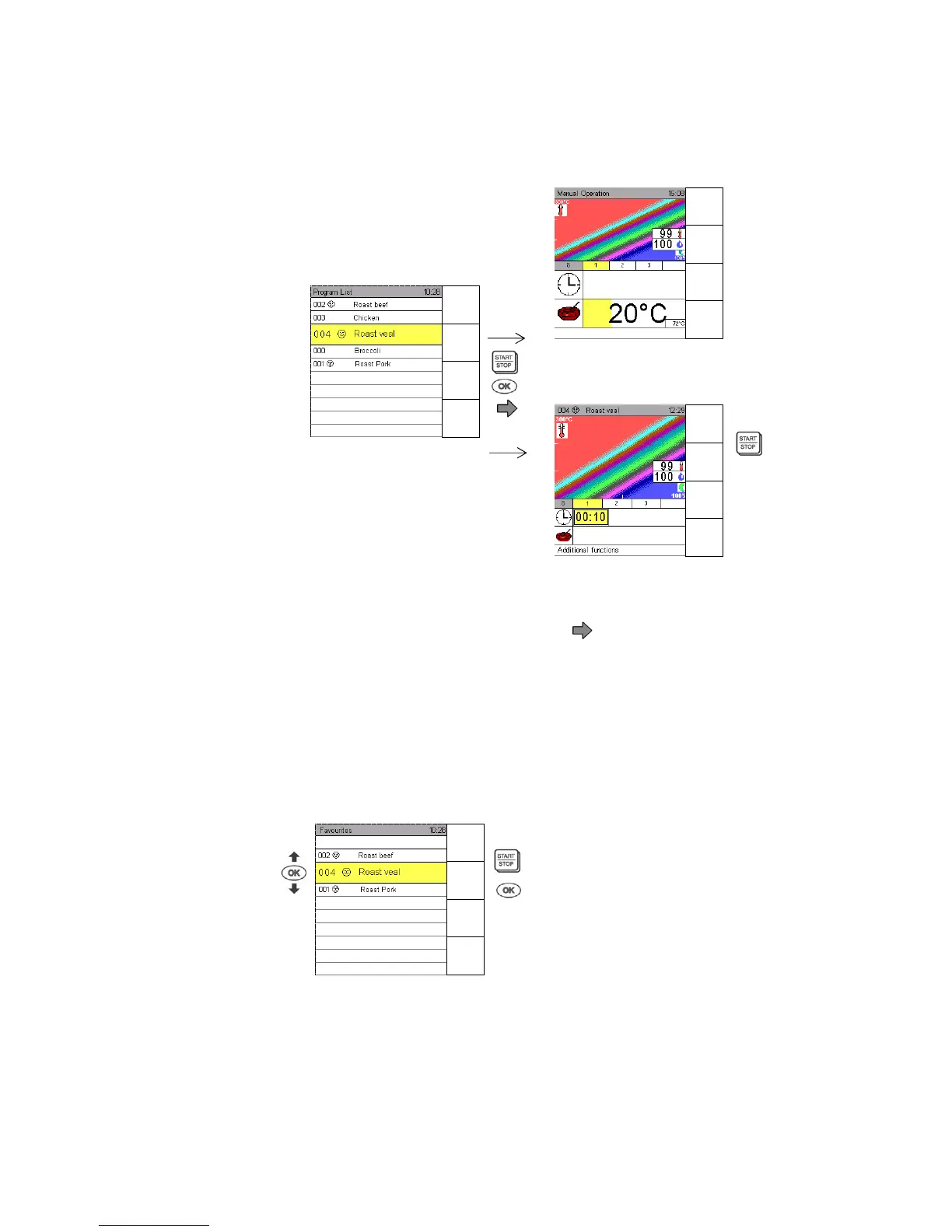
5.4 Select and start a Program from the Program List
Touch sensor key Program List to bring up all saved programs, maximum 300.
Use Joker direction arrows and to select a program.
Press Start/Stop to start this program immediately.
Press OK to have it displayed for information and continue with Start /Stop.
“Program information” is available through the directional arrow
.
5.5 Select and start a Program from the Favourite List
Favourites are marked with the smiley .
Press sensor key Favourites to bring up the list and use the Joker Scout arrows or to select a
favourite.
Press Start/Stop to start this program immediately.
Press OK to have it displayed for information and continue with “Start /Stop”.
Select a program
Program indication
Display 1
s


 To Next Page