33
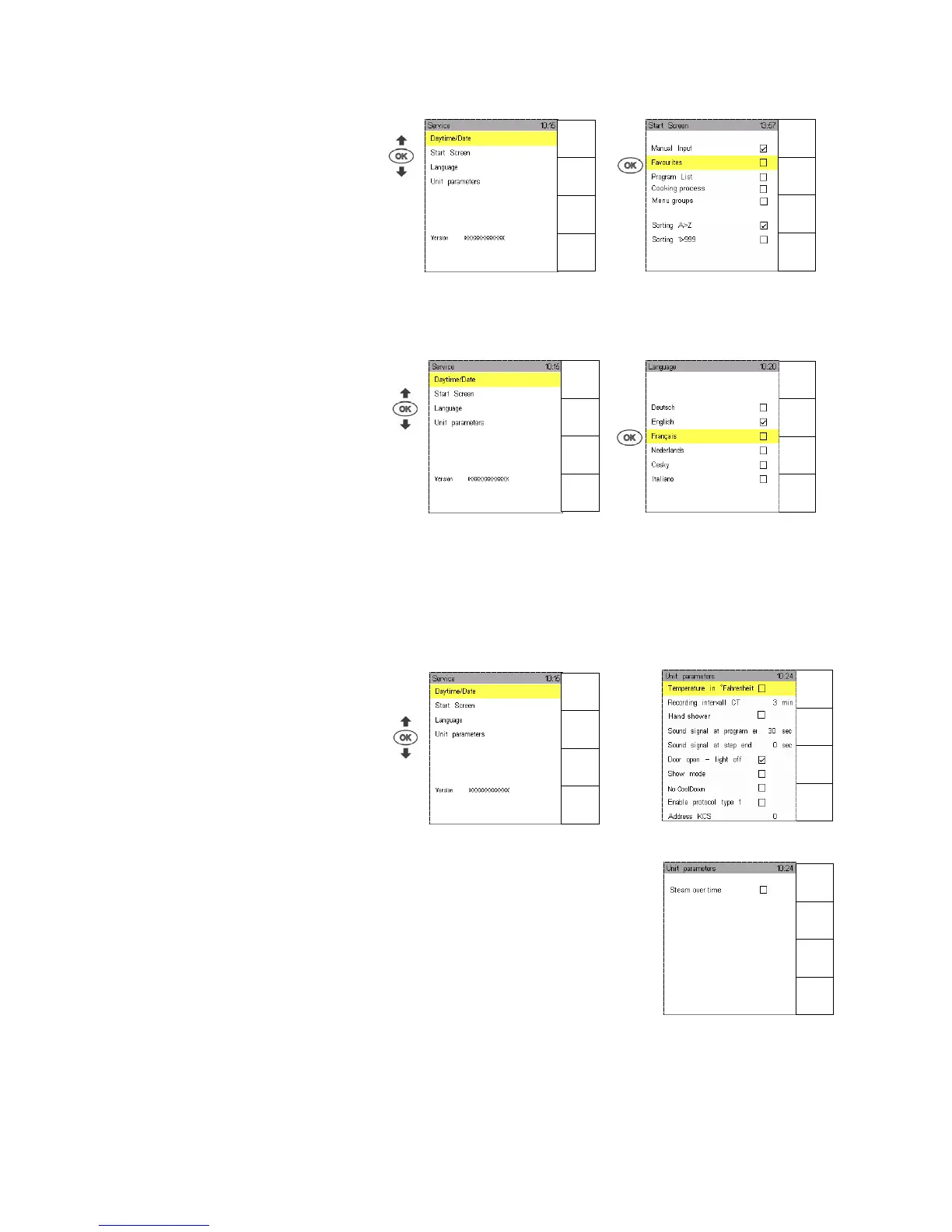
11.2.2 Start Sreen
You can select 5 different start-up displays.
Select or deselect with "" by pressing OK.
Screen Manual input , see Sec. 3., is not displayed.
10.2.3 Language
All functions, menus and information can be displayed in different languages.
Use Joker Scout arrows or and confirm whatever language you like with OK, it is then marked „“.
11.2.4 Unit parameters
Use Joker Scout arrows and select Unit parameters. Activate, deactivate or change other functions.
Confirm functions to be on or off with OK, a selected function is marked „“
Menu
back
Help
Menu
back
Help
Menu
back
Help
Menu
back
Help
Menu
back
Next
page
Menu
back
Previous
page
Menu
back
Help


 To Next Page