26
7.4 Delta-T- Cooking
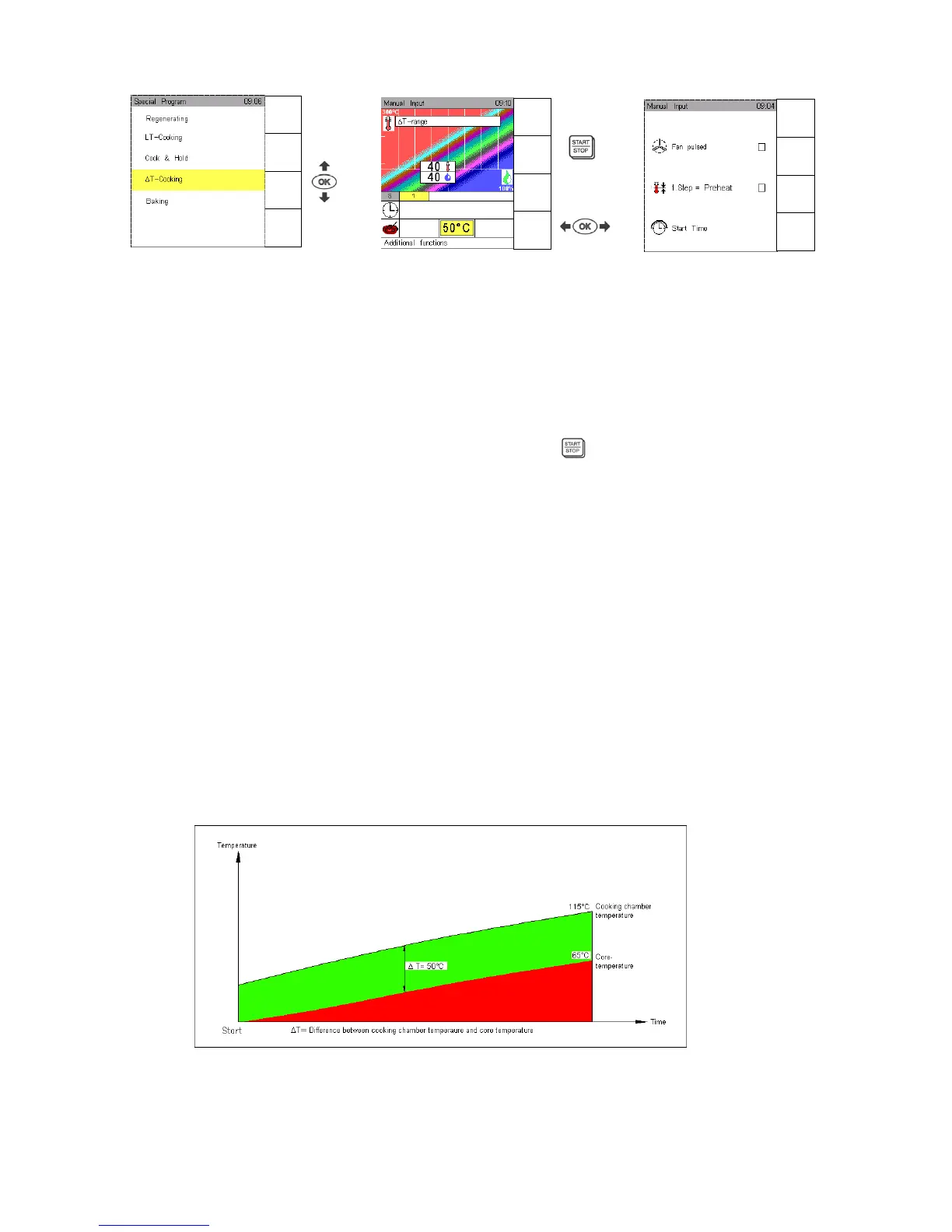
Touch sensor key Special Program, use Scout arrow to select T-Cooking and confirm with OK.
The Climatic monitor indicates the T-Cooking range for temperature/humidity. Standard setting for
T-Cooking is 40°C and 40% humidity.
Use Joker Scout arrows to determine temperature/humidity and confirm with OK.
Input range: Temperature 20°C - 80°C, humidity level 0 – 100%, CT 0 – 99°C
Select function Active temp as described in Sec. 9.
It is possible to enter up to 5 different cooking steps/modes in a T-Cooking program, see Sec. 3.4.
Use Joker Scout arrow , set the core temperature and start
.
To save a T-Cooking program follow the instructions in Sec. 5.1.
When such a program is saved, the characters “T“ appear automatically at the beginning of its name, in
order to identify it in the program list.
In a T cooking process, the cooking chamber temperature is adjusted to the increasing core
temperature.
Example:
Input T = 50°C, core temperature 65 °C.
The T – program is started, the actual core temperature is displayed, e. g. 20°C.
T = 50°C is added to the actual core temperature to determine the cooking chamber temperature -
at this moment CT 20°C + T 50°C = 70°C.
In the course of an advancing cooking process the core temperature is increasing constantly and the
cooking chamber temperature as well according to T, e.g. CT 35°C + T 50°C = 85°C cooking
chamber temperature.
Once the core temperature of 65°C has been reached, the cooking chamber temperature will be CT
65°C + T 50°C = 115°C.
Additional functions “ T cooking“:
See LT Cooking
Manual
Input
Autoclean
HACCP
Special
Menu
back
Save
Next
Step
Preheat
OFF
Menu
back
Save
Next
Step
Preheat
OFF


 To Next Page