37
14. Communication ProConnect Combi steamer
14.1 Start up communication ProConnect Combi steamer
Genius compact, Joker T
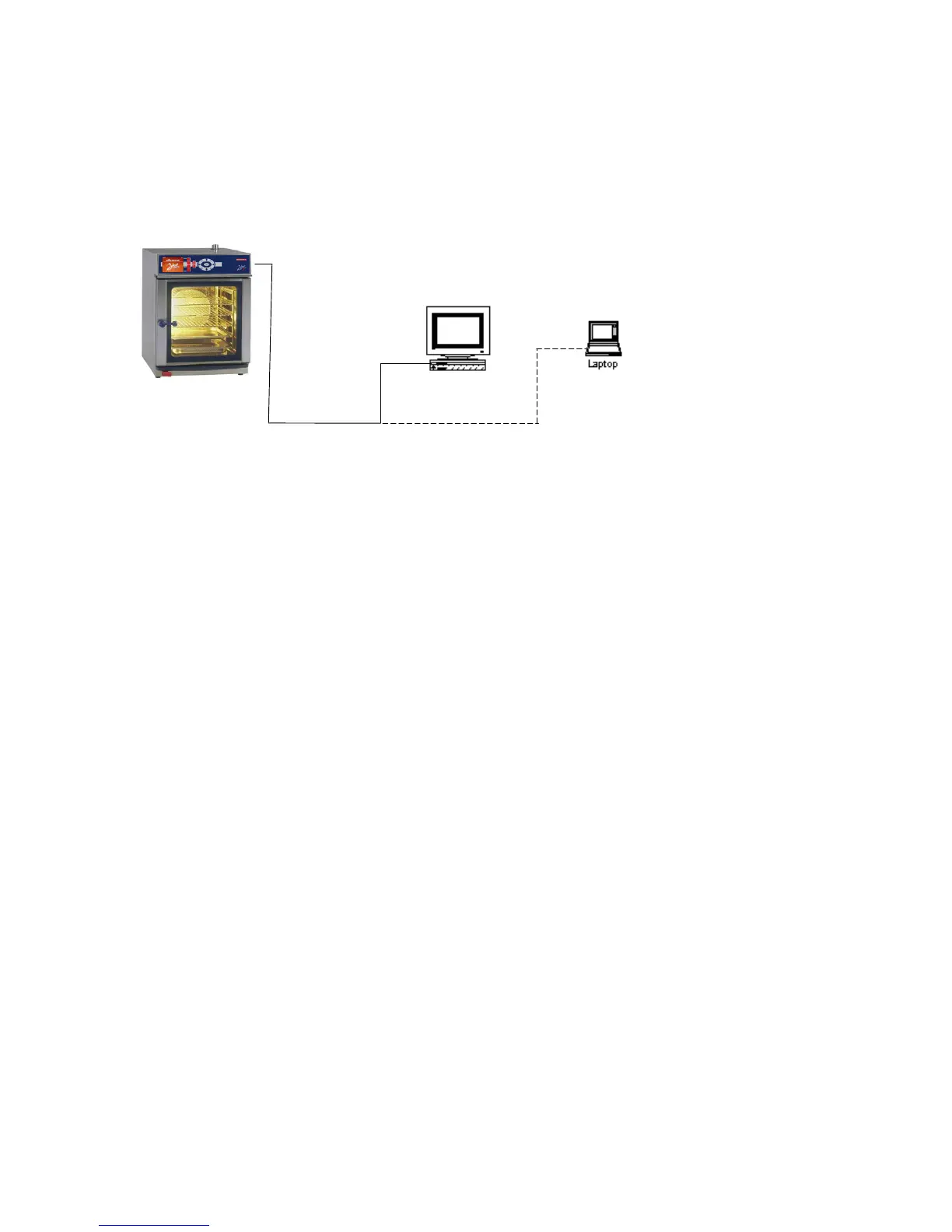
Use the appropriate cable to establish a communicating connection between PC and
combi steamer, “Point-to-Point” connection RS 232.
Plug the connecting cable to external SubD9 port in the hose shower tulip and connect
the other end to the PC.
The combi steamer is in standby mode, it may be necessary to switch off the combi steamer.
The PC is switched on and ProConnect is started
Set the device address of the combi steamer in the PCPrg:
Menue/Options/device address.
Set Com-Port in the PCPrg to the one used as interface for the connection
PCPrg Combi steamer.
Provided the connection is established via USB-Port of the PC and USB/RS 232 adapter, this
interface is also indicated as Com-Port on the PC.
It is possible to test the communication in the set-up dialog for device address and port,
“check communication”.
Of course, there are further individual possibilities for connection and connectivity via
RS 485 systems.
Contact our Service Hotline or our sales department for further information.
14.2. Connection to Kitchen control systems (KCS)
In case special hard/software is available, a connection to kitchen control systems is possible.
or
RS 232
Connection
PC


 To Next Page