23
7. Special Programs
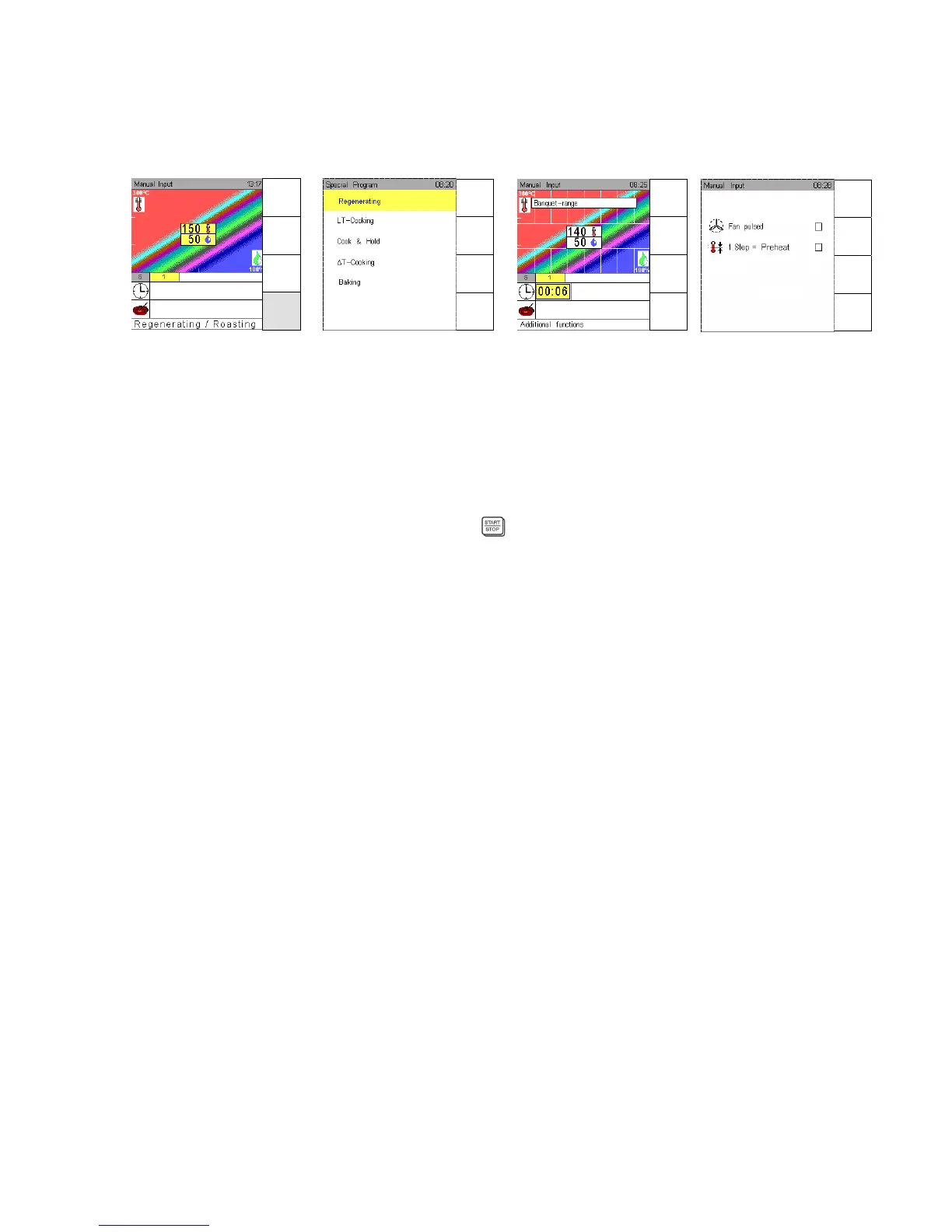
Touch sensor key Special Program to bring up further special programs and functions.
7.1 Regenerating
Press sensor key Special program and confirm Regenerating with OK.
The Climatic monitor indicates between the striped field the banquet cooking range for
temperature/humidity. Standard setting for banquet is 140°C and 50% humidity.
Use Joker Scout arrows to determine temperature/humidity and confirm with OK.
Input range: Temperature 90°C –180°C; humidity level 0 - 100%
Select function Preheat as described in Sec. 9.
It is possible to enter up to 5 different cooking steps in a banquet program, see Sec. 3.4.
Use Joker Scout arrow , set the time and start
.
To save a banquet program, follow the instructions in Sec. 5.1.
When such a program is saved, the letter “B“ appears automatically at the beginning of its name,
in order to identify it in the program list.
Additional functions “regenerating“ :
Use Joker Scout arrow , go to line “Additional” and select additional functions.
Use Joker Scout arrows or for selection.
Confirm functions to be On or Off with OK , a selected function is marked ““ .
If the function “fan pulsing“ is used, the humidity level is adjusted accordingly.
Stop banquet program:
By pressing the Start / Stop key, the banquet program can be stopped.
In the info line appears “Banquet-range“.
End of the program:
Signal sounds.
Open the door and take out the food.
Close the door.
Memory
Pressing "Start / Stop", the same banquet program can be repeated.
Program
List
Menu
group
Cooking
process
Special
program
Manual
Input
Autoclean
HACCP
Special
Menu
back
Save
Next
Step
Preheat
OFF
Menu
back
Save
Next
Step
Preheat
OFF


 To Next Page