22
6. Menu groups in fully automatic operation
6.1 Select and start a program via menu group
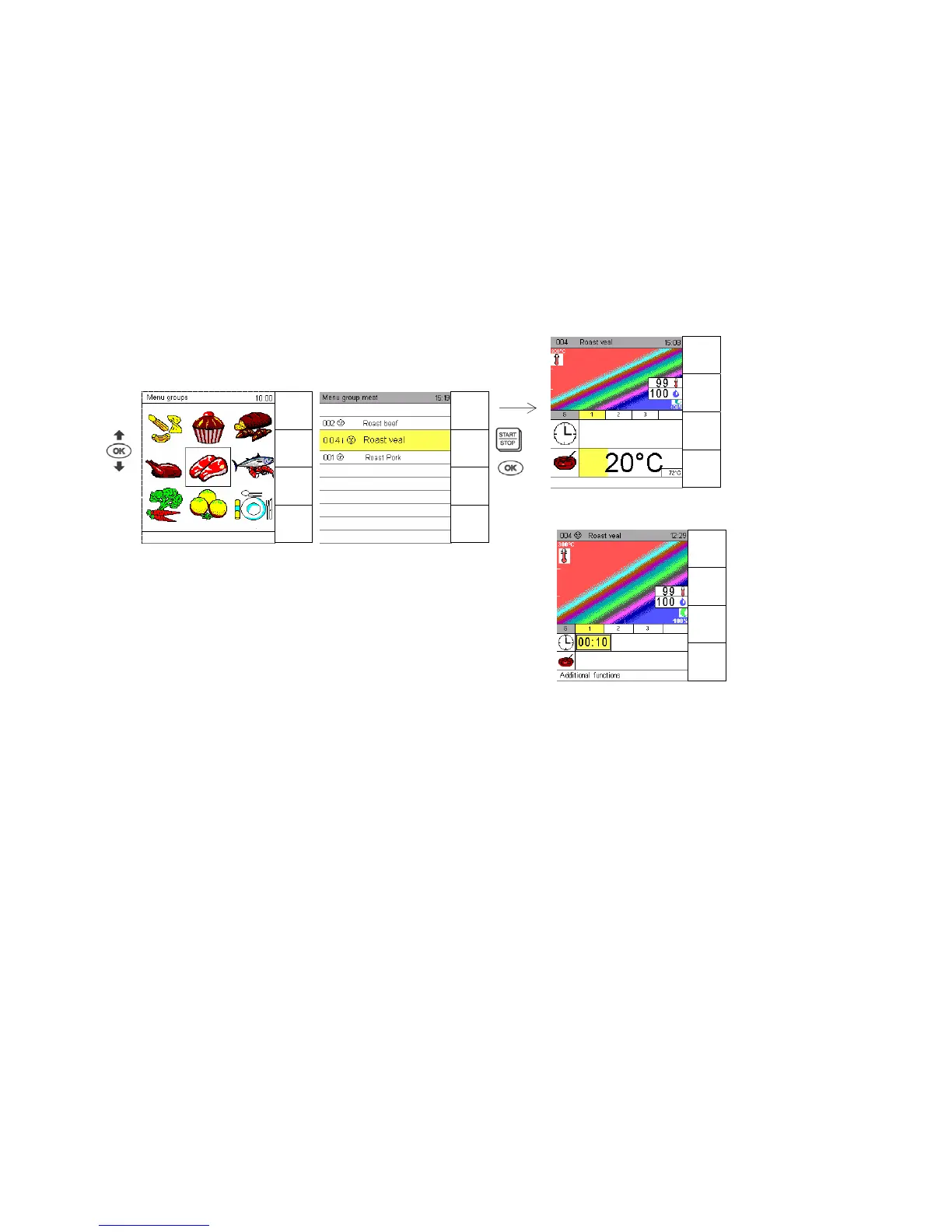
With the sensor keys Program List, Favourites and Menu Group, you can open the display Menu
Group.
Use the arrow keys to select the desired menu group, the middle is selected with the OK key.
With the Joker Scout arrow keys and you can select the program saved in the respective menu
group.
Press Start/Stop to start it right away or display it by pressing OK
and then start it with “Start/Stop”.
6.2 Picto operation
If only one program belongs to a menu group, the program opens directly if you select that menu
group.
If you select Menu Group as your start-up display and have only 1 program in each of the menu
groups, you can run the so-called picto operation:
Turn on the appliance, select Menu Group and start the respective programme.
Menu group
Menu group meat
Display 1
s


 To Next Page