Operation and Maintenance
UFM Series 6
Q.Sonic-plus
Info (Basic Information)
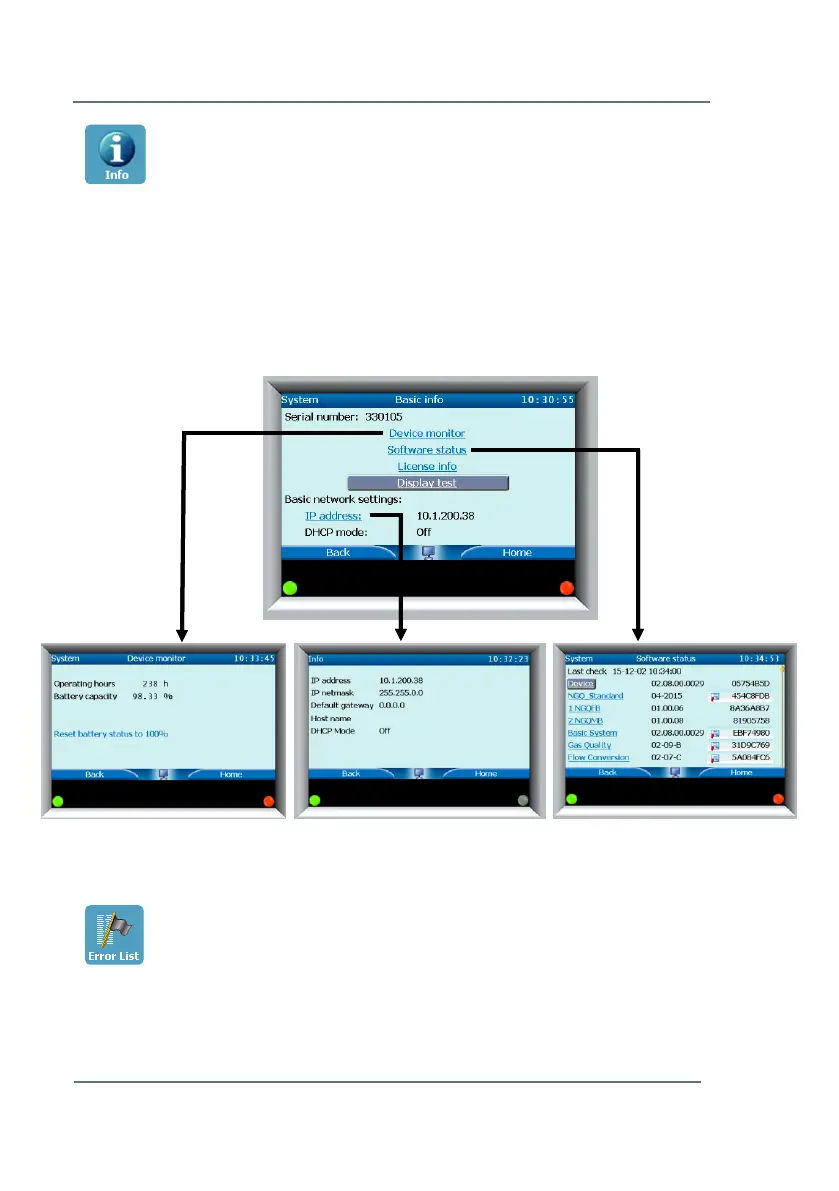
In this menu some general important information about the meter can be
found, regarding: Device Monitor information, Software status, License
information, and the IP address. Through this menu it is also possible to
perform a display test. Please see Figure 7-5. After selecting Display test,
the screen will alternate between black and white. Pressing Back or Home
will stop the test.
Error List
Here you can see a list of the most recent meter errors, filtered by error type
if desired. If the errors are no longer relevant, you can select Accept all and
the errors will be accepted and removed from the list. To use the filter, scroll



 To Next Page