UFM Series 6
Q.Sonic-plus
Operation and Maintenance
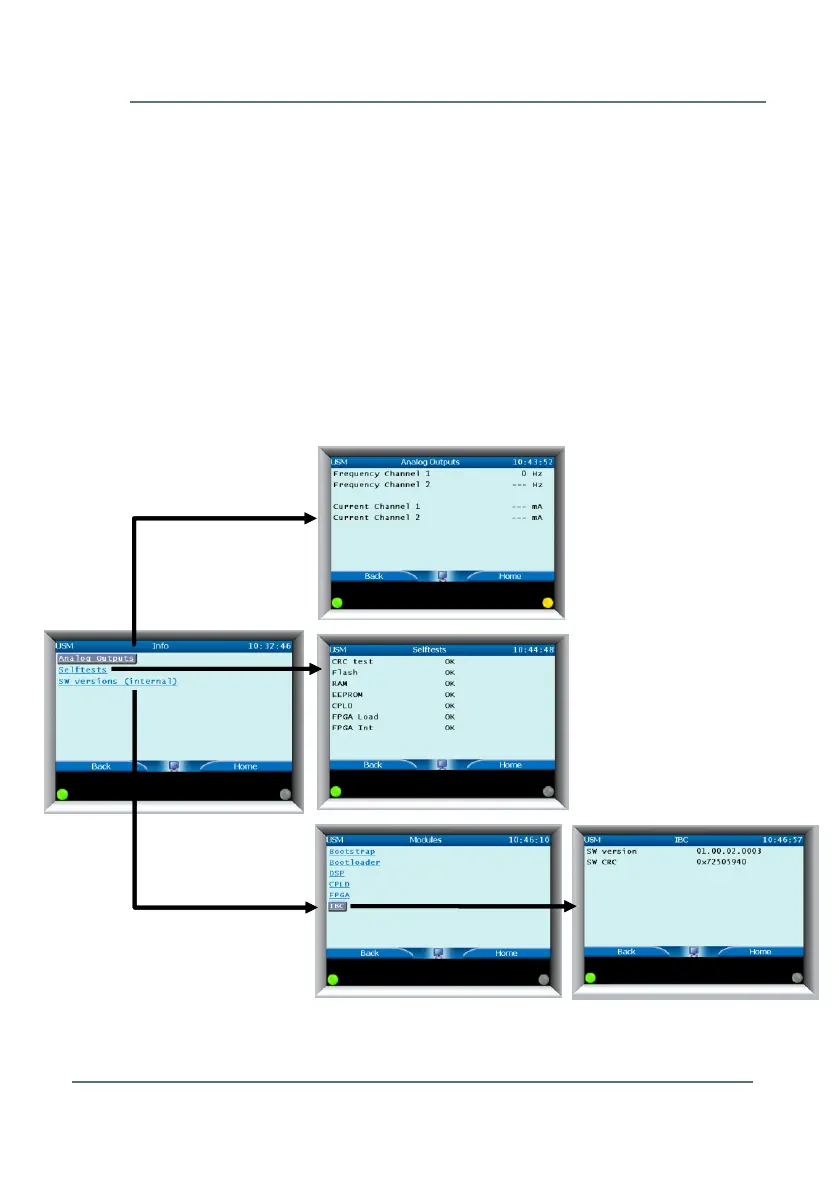
Please see Figure 7-17. There are 3 submenus: Analog Outputs, Selftests,
and SW Versions (Internal).
Analog Outputs – displays the results of the current and frequency
outputs based on the user’s defined values.
Selftests – Some important parts of the electronics will perform
self-tests. Outcome can be OK or FAIL. If a FAIL is encountered,
the selftest should be done again. If it continues to fail, contact
Elster or your local agent.
SW versions (internal) – Herewith all software versions and their
matching checksum in the electronics can be read.



 To Next Page